Inventory and Dispatch System
Stock, dispatch and sign-off stop living in three different places
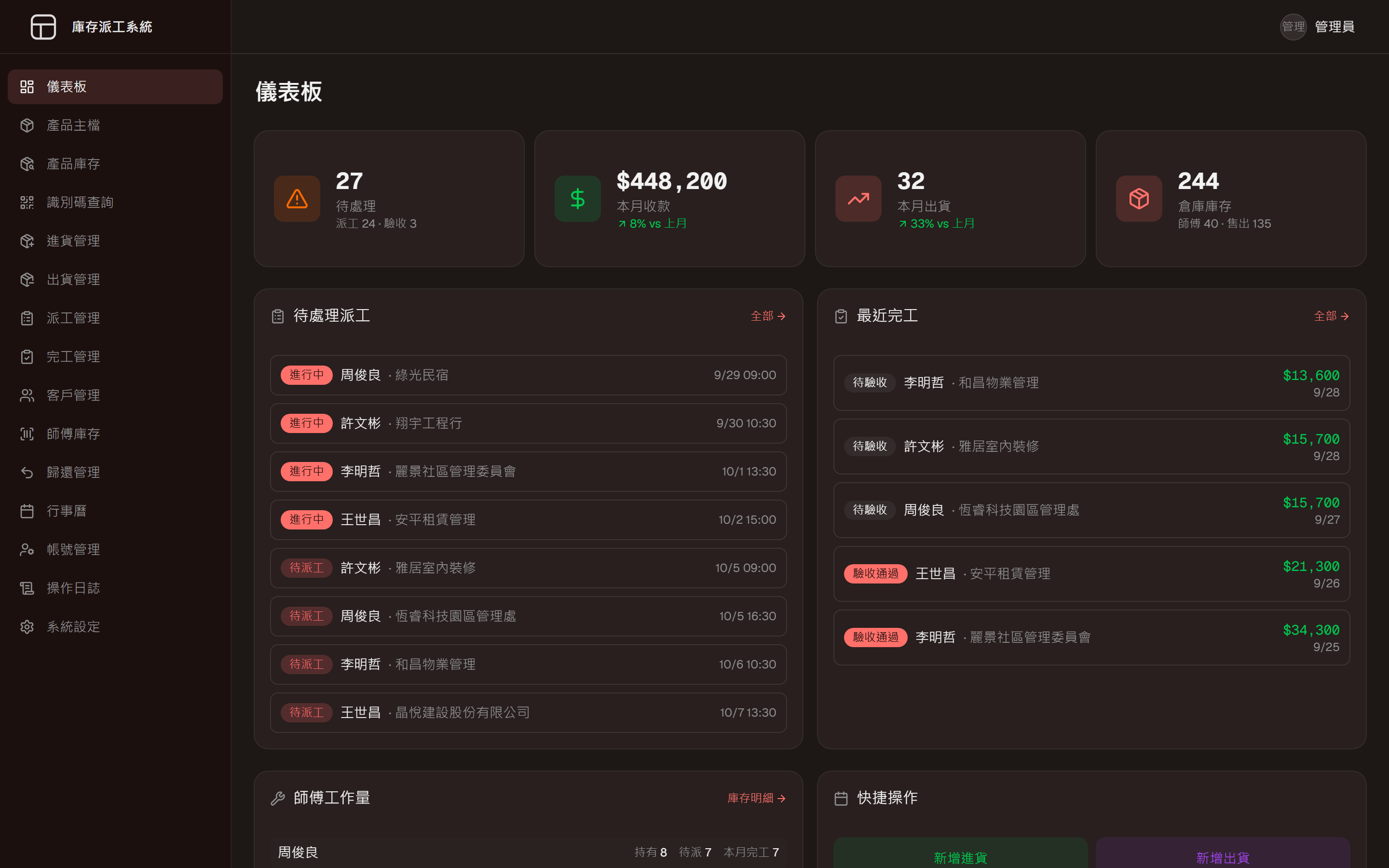
A B2B inventory and field dispatch system covering goods-in, serial-level stock, job assignment, on-site reporting and closure. Where every unit went and where every job stands are both answerable questions.
- Type
- B2B management system
- Scope
- System design
- Full stack
- Deployment
- Monitoring
- Industry
- Equipment installation and repair
The challenge
Installation and repair work scatters information by its nature: the stock is in the warehouse, the job is in a chat thread, and the progress is in a technician's head. Asking where a particular unit is today means asking three people. Month-end reconciliation is the worst part, because nobody remembers how a job from three weeks ago was finally settled.
What we built
The technician's phone is the work order
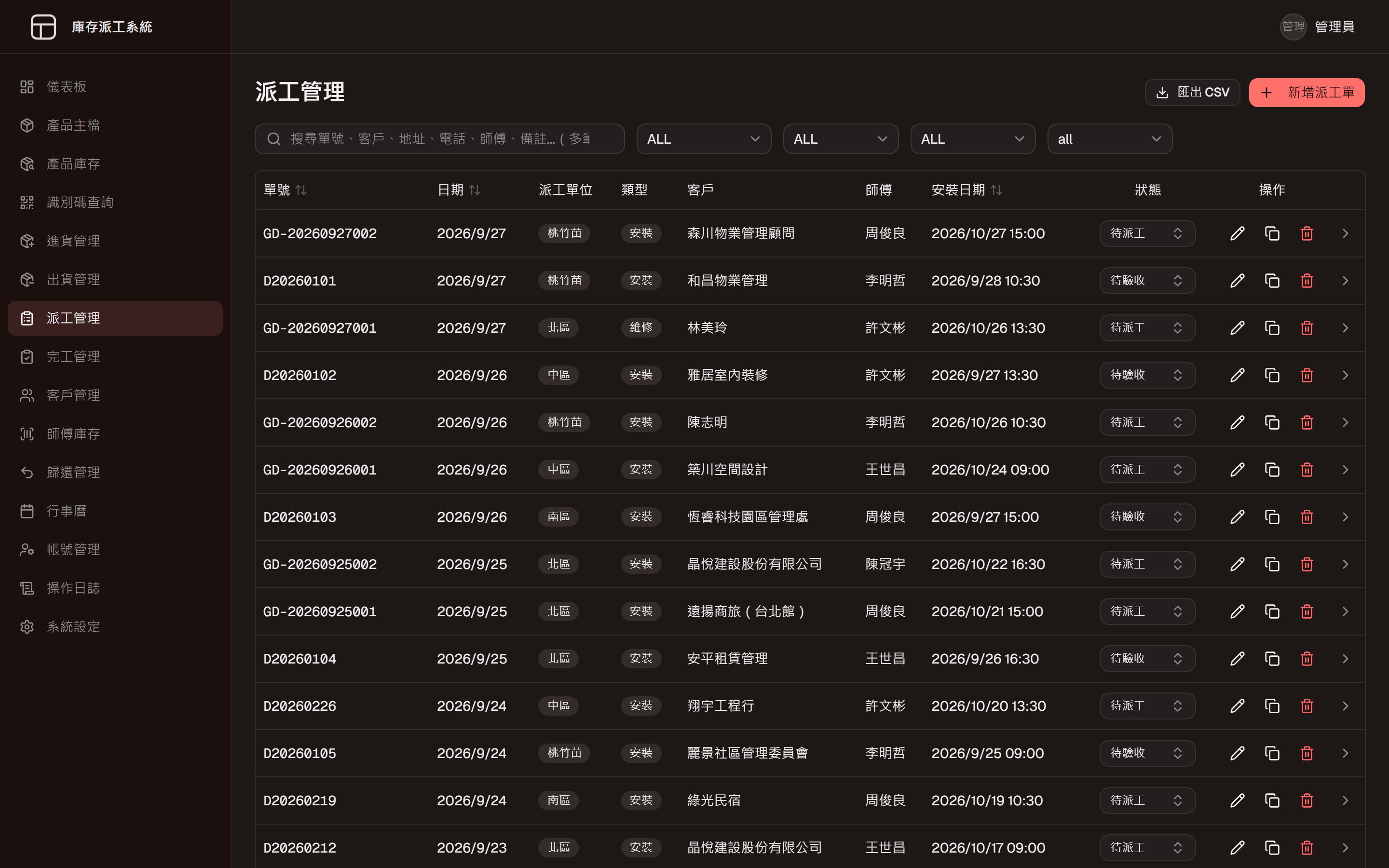
Technicians see today's jobs on their phone, record parts and charges on site, and have the customer sign on the screen. A wasted trip can be reported on the spot too, with no paperwork back at the office.
Every dispatch change reaches the LINE group
When a job is created or changed, a fixed-format summary is pushed to the company's LINE group so the office can read it at a glance. Linking takes nothing more than inviting the official account into the group.
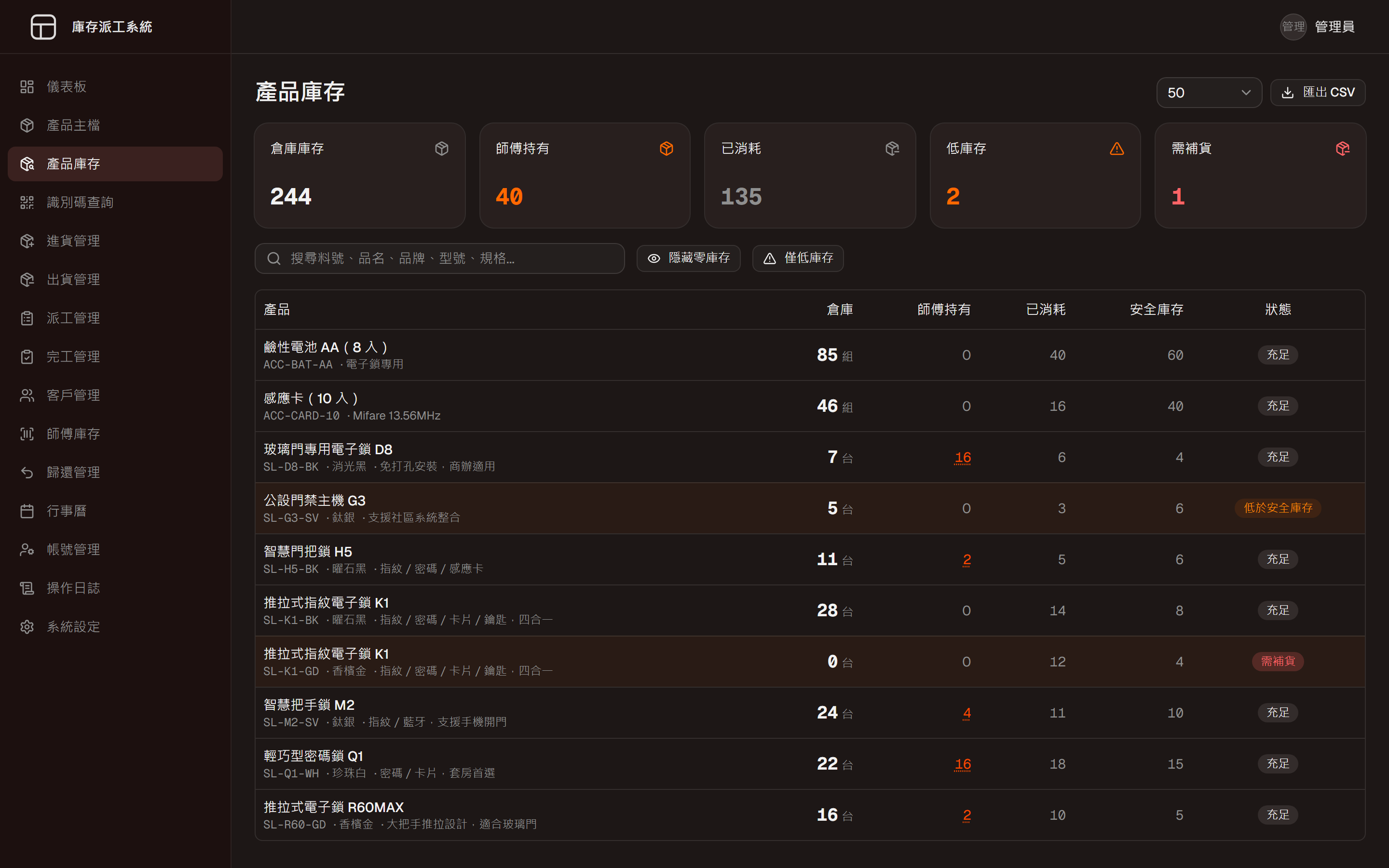
Tracked down to each unit's serial number
Not just quantities - how many units are in the warehouse, how many each technician is carrying, and which unit went to which customer. When a repair comes in, you can see who installed it and when.
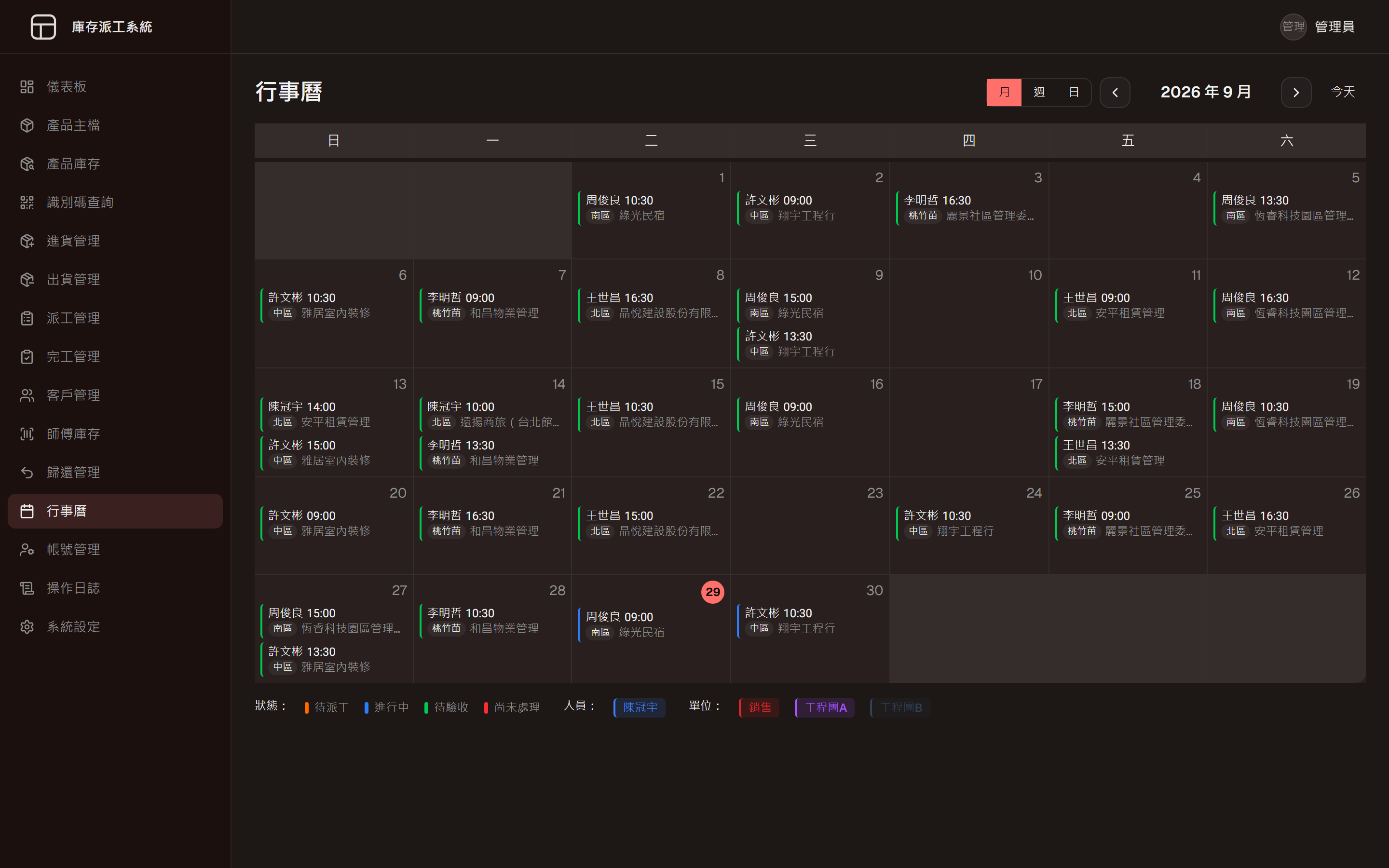
Dispatch calendar
Jobs sit on a monthly calendar coloured by technician and area, so a fully booked day is obvious at a glance.
One independent system per company
Each company runs its own database and services, so fields, workflow and reports can follow that company's way of working without touching anyone else's system.
Monitored after launch
The live system's health is monitored, so when something goes wrong we are alerted first instead of waiting for users to report it.
Want something similar? Tell us how you work today.
Screens
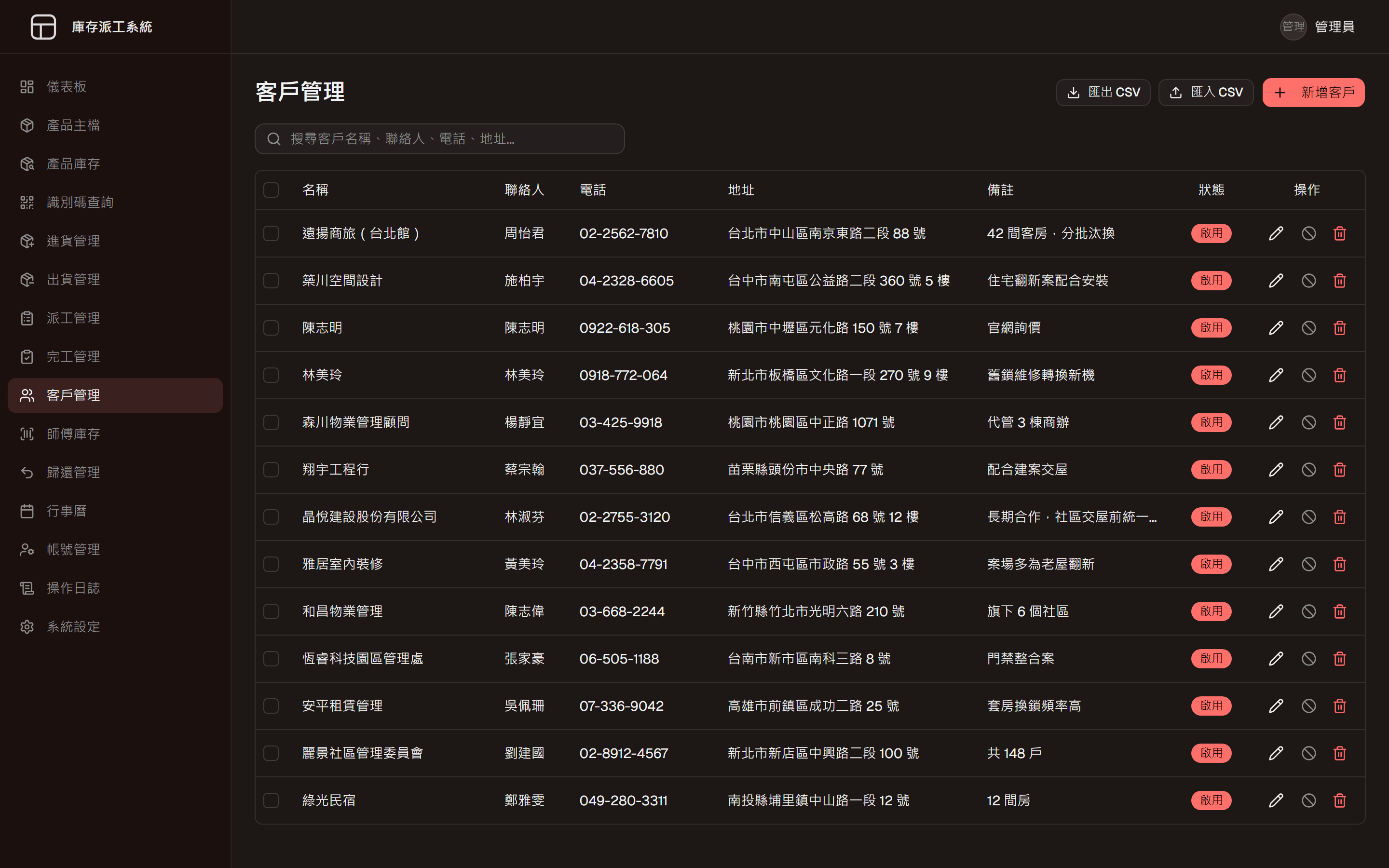
Adapted to your workflow
The system was first built for a smart lock installer. Its backbone is where stock comes from, who it is dispatched to, where it is installed and how the job is closed. Any business with on-site installation or repair can use that backbone, with fields, workflow and reports adjusted to the way you work. Some directions it can extend to:
Air conditioning, water heaters and filtration
Serial numbers tied to warranty dates can grow into scheduled maintenance reminders and dispatch.
CCTV, access control and low-voltage work
When one order covers several devices over several days, reporting and closing can follow project stages.
Equipment rental and repair
Whether a unit is at the customer, in the warehouse or out for repair, serial tracking can extend to rental terms and returns.
Office equipment servicing
For copiers, POS terminals and other regularly serviced equipment, inspection cycles can follow each customer's contract.
Wondering whether a system like this would fit your company?
No specification needed.
Tell us which part of your work takes the most time, and we will look at the right approach together.