How is the cost of custom software estimated?
What drives the cost of custom business software, why phased delivery helps, how to compare quotes, and when off-the-shelf software fits better.
In this article
"Roughly how much does a system cost?" is the question we hear most, and the hardest to answer in a first conversation. Not because we are holding back, but because two systems both called "inventory" or "dispatch" can involve very different work at different companies.
This article doesn't give numbers. It explains what affects the amount of work, and what you can prepare before talking to developers, so the quotes you receive are more accurate and easier to compare.
What drives the effort
1. Scope: how many kinds of users, doing how many things
A system's size mostly depends on how many roles use it (owner, sales, warehouse, technicians, accounts) and what each needs to do. A dispatch system where only the office creates jobs is a different size from one where technicians report from site and every unit's serial number is tracked to where it ended up. For the latter, see our inventory and dispatch system.
2. Rules: how many exceptions
The time often goes not into screens but into rules: how working hours are counted, which applies when overtime and leave overlap, who may change a status. When we built the attendance system, we confirmed the definition of working hours line by line with the responsible staff before writing it into the system. More rules and exceptions mean more discussion and testing.
3. Integrations: which systems or devices exchange data
Connecting to accounting software, an online store back office, a logistics platform, or shop-floor PLCs and barcode scanners means understanding each one's format and limits, and handling the moments when the other side is unreachable.
4. Data migration: bringing old data across
Turning Excel files scattered across people's computers into one clean dataset usually takes longer than expected. Inconsistent column names, or one customer spelled three ways, have to be sorted out before import, and the counts and contents checked with you.
5. Special needs: offline, isolation, AI
Factory PCs that can't reach the internet, branches whose data must be kept apart, or AI features such as a support assistant or AI product listing. Beyond development, AI features carry usage-based running costs that should be estimated and capped in advance.
6. The unknowns
Some technical risks can only be settled by trying. A small proof of concept is the better route. Before building our project file search system, we first confirmed that a browser could open files on the NAS directly and that Chinese search worked well enough; only when both passed did the real work begin.
Phased delivery, with results at every step
Rather than planning one big system, we usually suggest starting with the process that takes the most time or causes the most mistakes. Once it runs smoothly, extend to inventory, reports or other departments. Each phase is smaller, so estimates are more accurate, and using the system earlier shows sooner what really needs adjusting.
What to prepare before talking to developers
- One or two real examples of each form, spreadsheet or paper slip you use now.
- How an ordinary day runs: from order to completion, which people and steps are involved.
- Where mistakes or delays happen most, and how they are usually handled.
- Which features are essential and which would be nice to have.
- Roughly how many people, and how many roles, will use it.
No specification is needed. Your everyday words are enough. We usually begin with a conversation of about 30 minutes to get clear on what is most stuck.
How to compare quotes
Different numbers often reflect different scopes. When comparing, ask:
- Which features and roles are included, and which are not.
- Whether data migration, training and user guides are included.
- Where the system will be hosted, and who pays for servers and domains.
- Who owns the code and the data, and whether a full handover is possible if you change provider or maintain it yourselves.
- What the acceptance criteria are, and how changes are handled.
- What post-launch maintenance covers, such as monitoring, backups, bug fixes and small adjustments.
Maintenance after launch
Systems last when someone looks after them after launch. Typical ongoing items include hosting, health monitoring, regular backups with restore tests, bug fixes, adjustments as the business changes, and AI usage. We can run this for you, or hand everything over to your own staff. See integration and long-term support.
When off-the-shelf software is the better choice
Custom is not always best. If your process is the same as most businesses, for example invoicing, bookkeeping or a shop till, mature packaged or cloud software is usually better value and updated faster. When the team is small and processes are still changing, an existing tool can carry you for a while.
Custom work fits better when your process has its own character, or you tried packaged software, it didn't fit, and everyone drifted back to Excel. Sometimes only a few features are missing and existing software just needs connecting, which often calls for a small tool; see workflow automation tools.
To see which approach suits your situation, take a look at custom B2B management systems, or simply talk to us.
Questions
Can you give me a rough price first?
Until we understand the problem and the scope of the first phase, any number would be a guess. We talk through your needs first, then quote for that scope.
Do we have to build the whole system at once?
No. We suggest starting with the process that takes the most time, then extending once it runs smoothly. Each phase can be assessed on its own.
Are there costs after launch?
It depends. Hosting, monitoring and backups, AI usage and later adjustments can all carry ongoing costs, and a quote should spell them out.
Related services
Custom B2B management systems
Planned around your own process, bringing inventory, dispatch, stock and sales and internal admin into one system.
Integration and long-term support
Staged rollouts, data connections between systems, and monitoring, backups and handover after launch.
Workflow automation tools
Handing repetitive comparing, copying and report tidying to software. We build one small tool first and measure the time it saves.
Related work
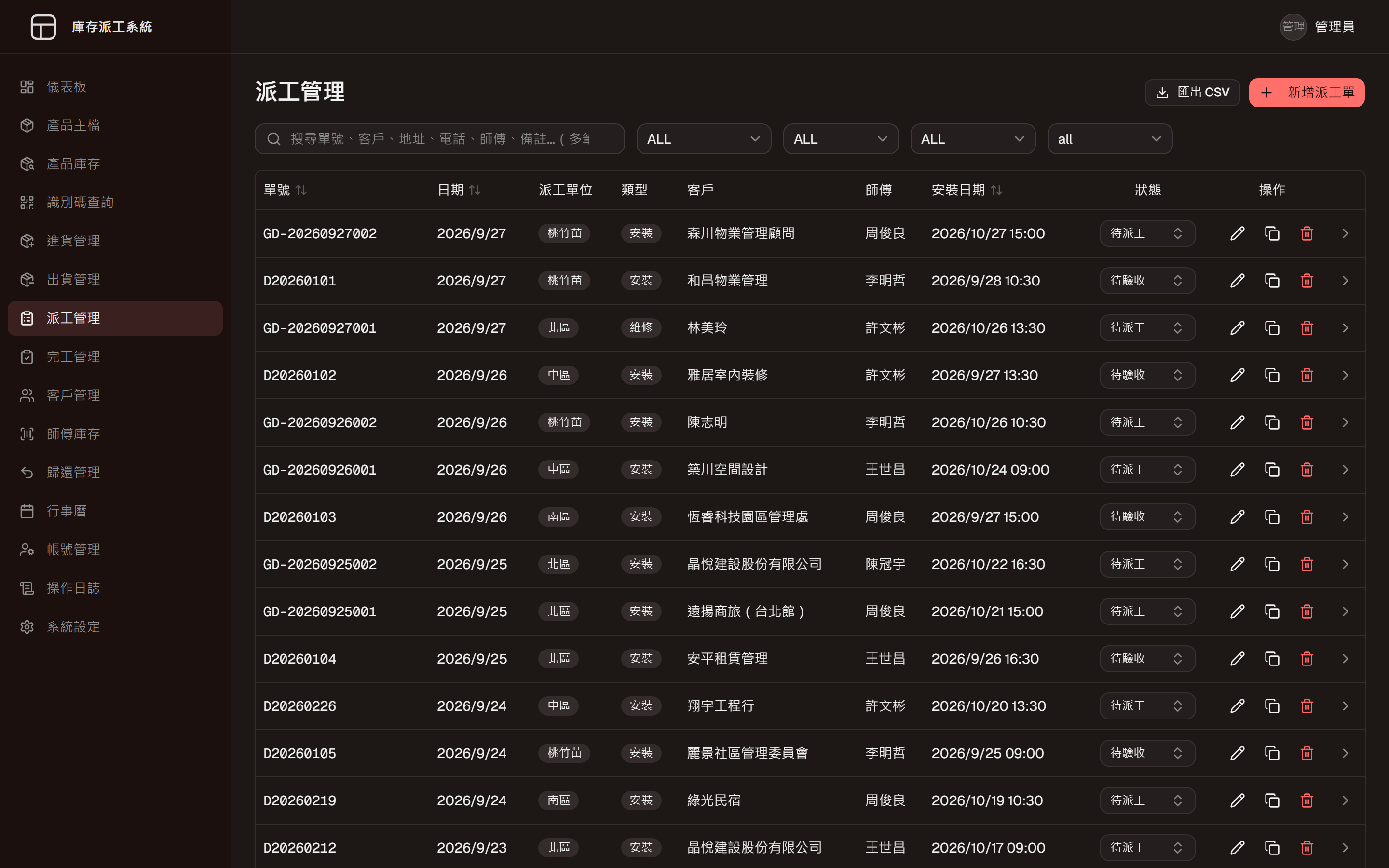
Inventory and Dispatch System
One system from goods-in to job closed
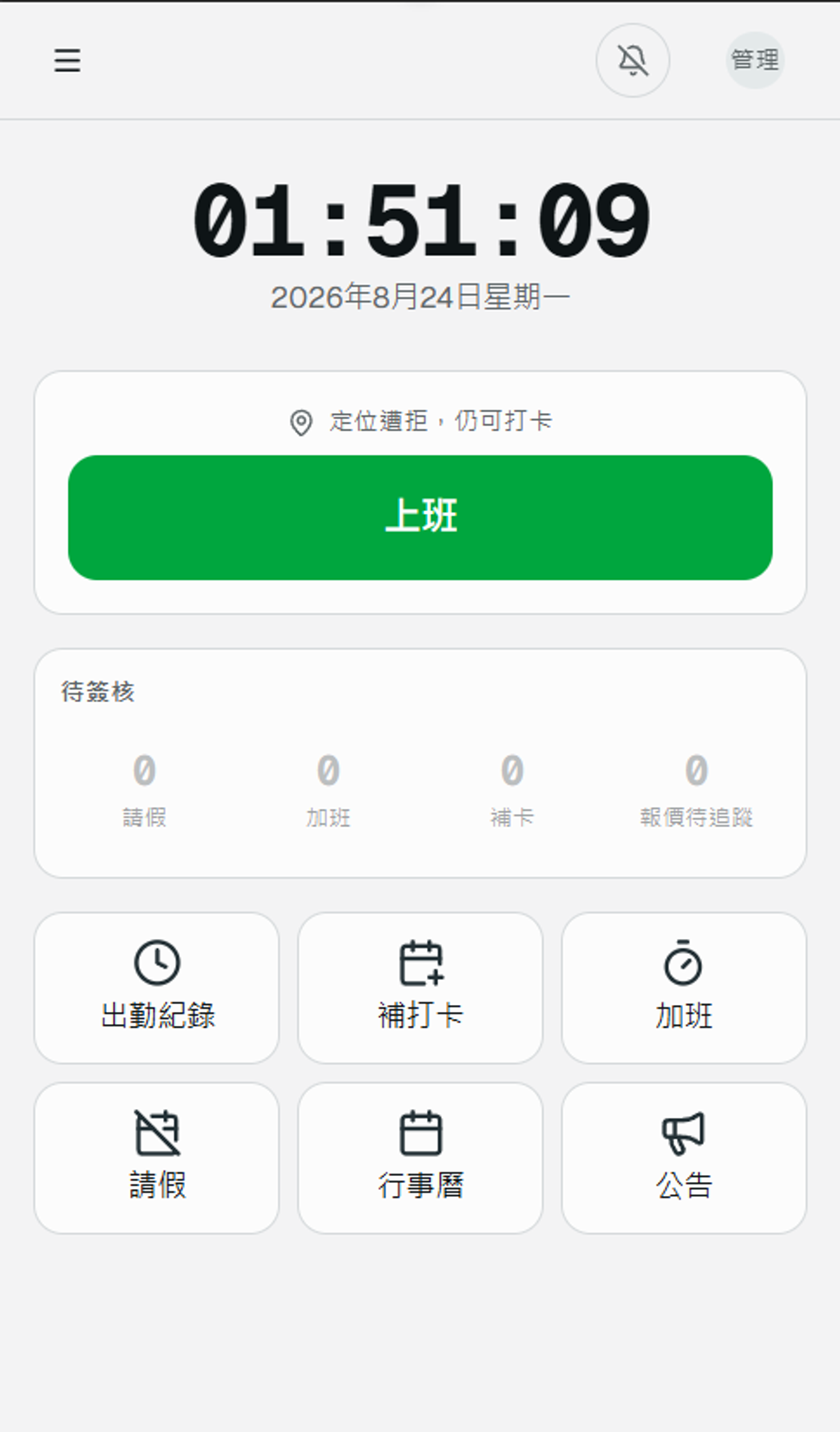
Attendance System
Phone clock-in with location, and every downstream number calculated
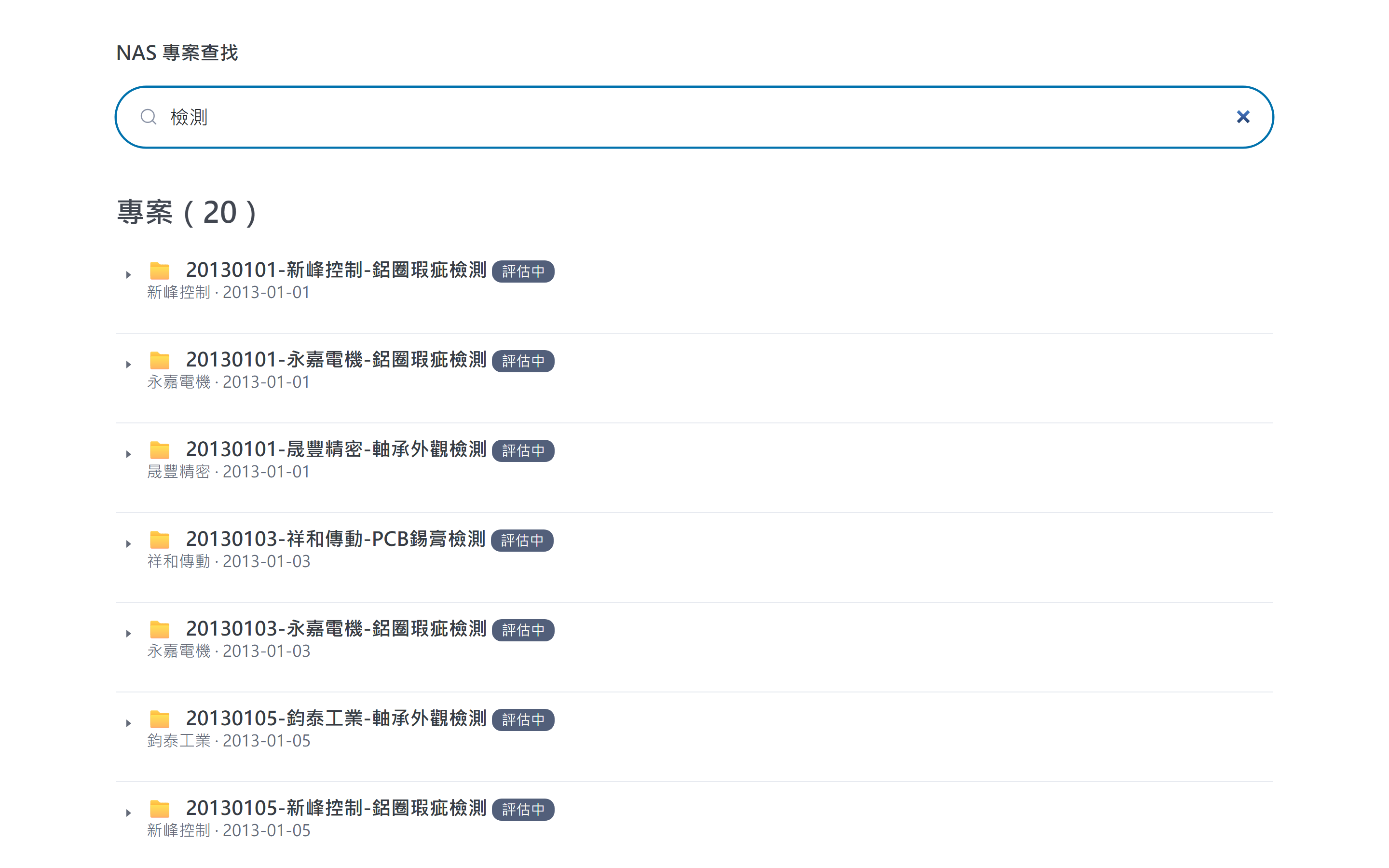
Project Archive Search
An index layer over the files, searchable as you type
Would you like to talk through your situation?
No specification needed. Tell us which part of your work takes the most time, and we will look at the right approach together.