MAHI TECH ERP
Quotations, orders, shipments, billing, expenses and after-sales repairs in one system, with expenses recorded from a photo or a LINE message
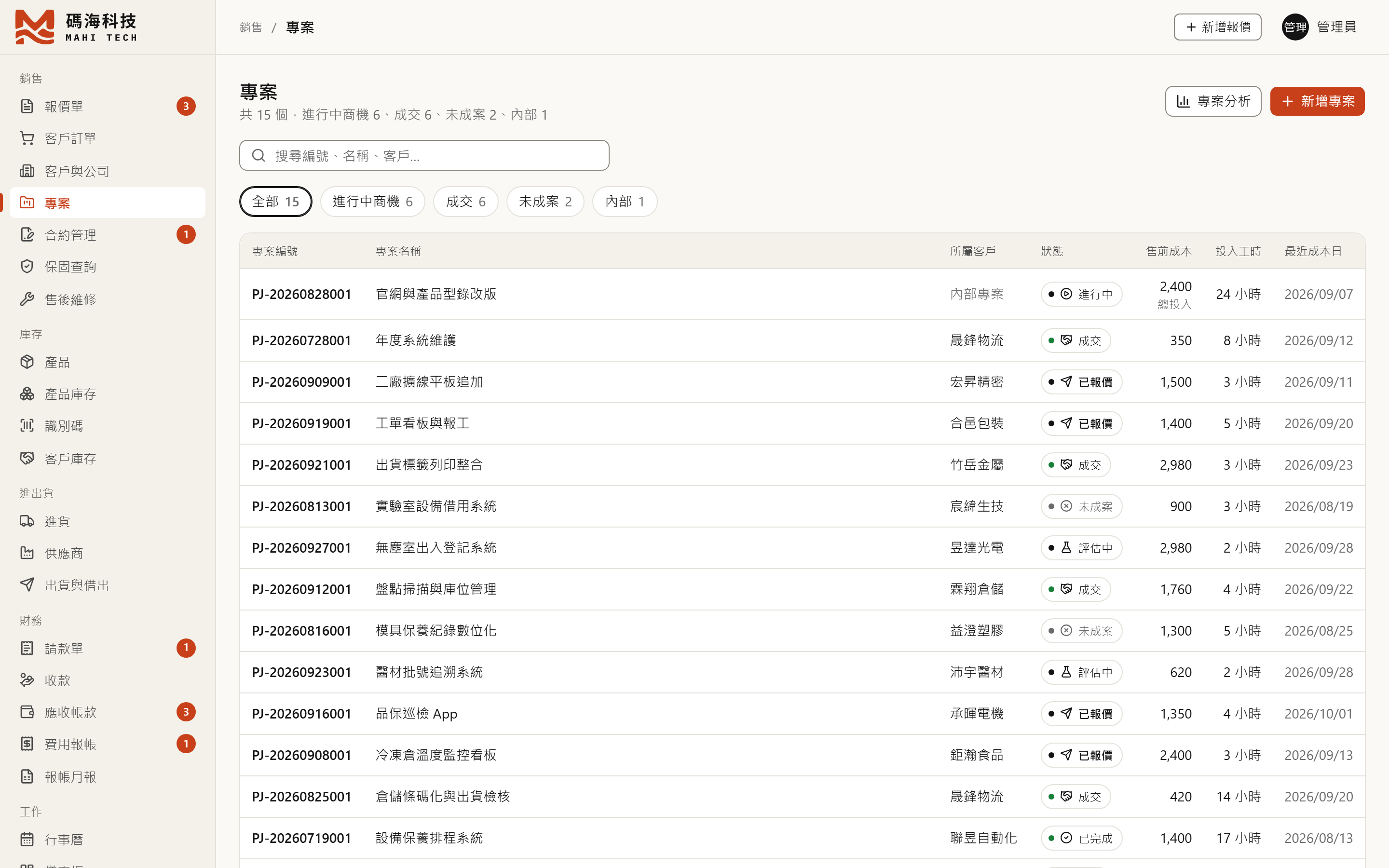
The operations system MAHI TECH runs on every day: projects and leads, quotations, orders, contracts, stock and serial numbers, purchasing and shipping, billing and receivables, expense claims and after-sales repairs. Features are split into modules that can be switched on or off, so the same system is assembled around how each company works, without learning features it will never use.
- Type
- Business operations system (ERP)
- Scope
- System design
- Full stack
- AI expense reading
- LINE assistant
- Modular build
- Industry
- In-house operations
The challenge
In a small company the books are usually spread across several places: quotations in Excel files, orders in LINE chats, delivery notes on paper, invoices in a drawer until month-end, and who still owes what only in someone's memory. Packaged software has every feature, but expects the company to change how it works, leaves most of those features unused, and still misses the details that matter.
What we built
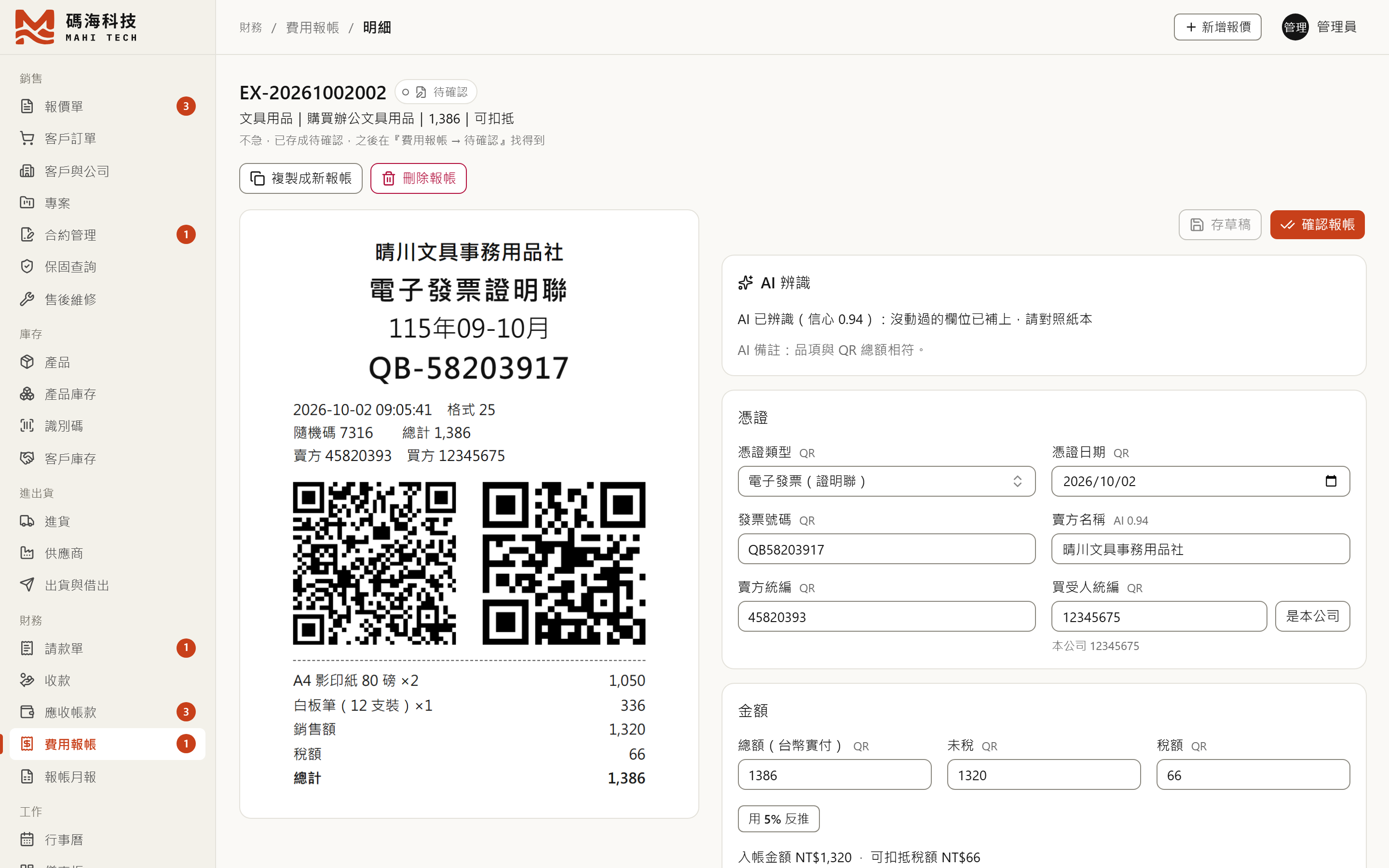
Photograph an invoice, AI records it
Take a phone photo of an e-invoice. The system first reads the QR code for the number, date and amount, then AI adds the seller, line items and a suggested account, with every field marked as coming from the QR code or from AI. Whether input tax can be deducted follows the tax rules, for example for entertainment or staff welfare; uploading the same invoice twice is blocked, and fields a person edited are never overwritten by AI.
Handle business from LINE
Send a business card to create the customer and contact; send an invoice to file the expense; ask a question to check receivables, stock or warranty, or open a quotation directly. Several actions are gathered into one list and run only after a single confirmation. Only registered accounts can use it, and every action is recorded in the activity log.
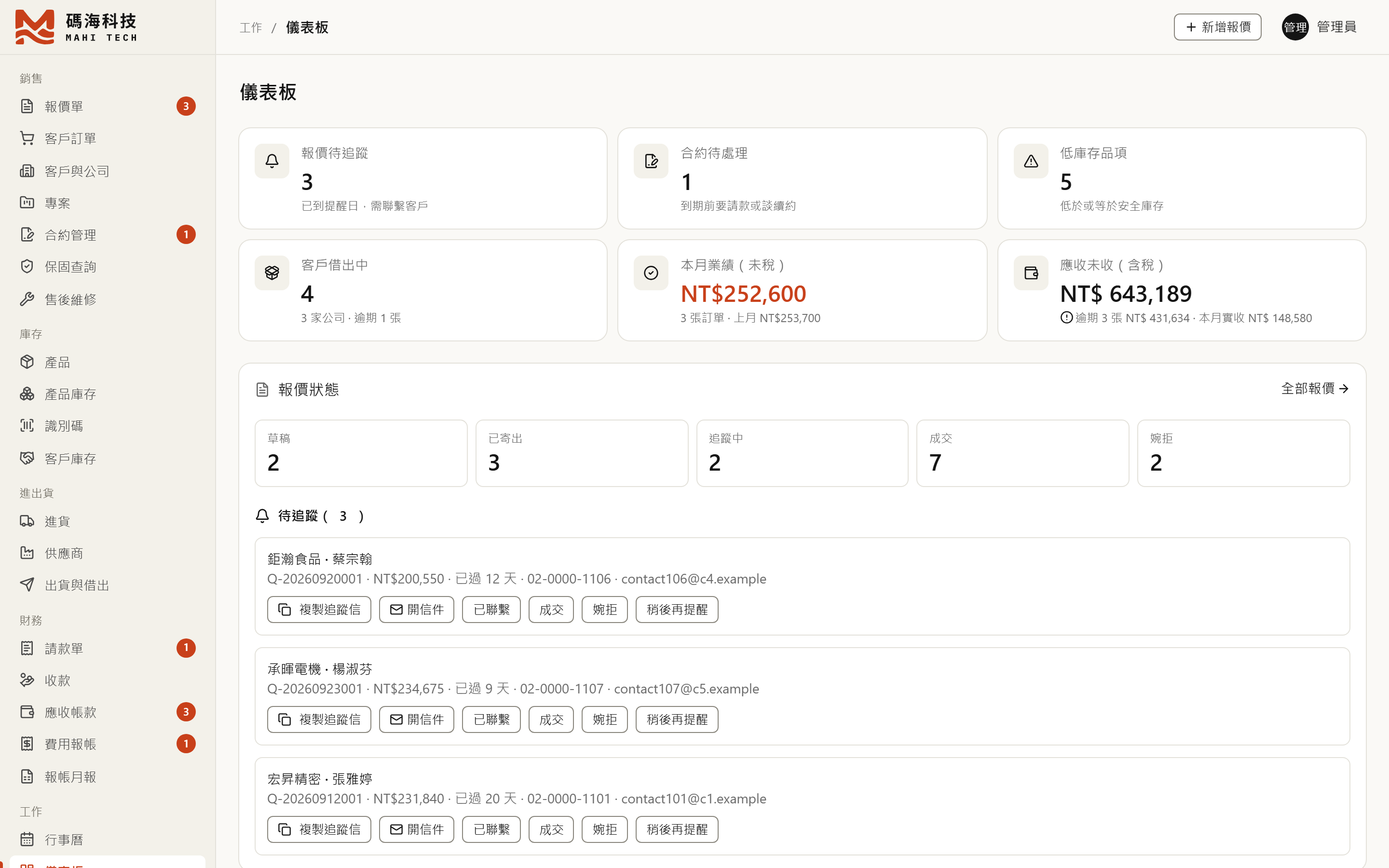
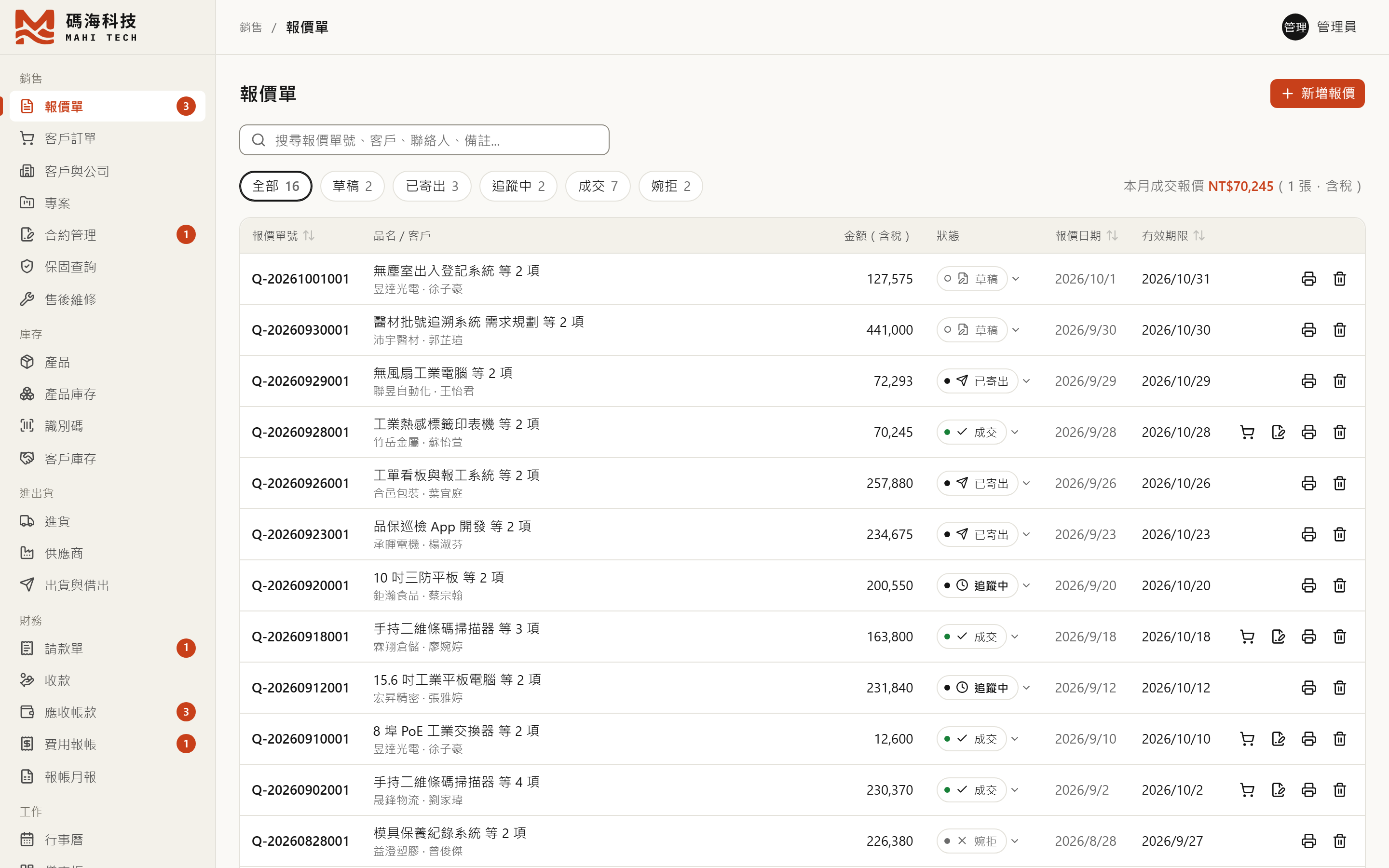
Quotation, order, shipment and billing in one line
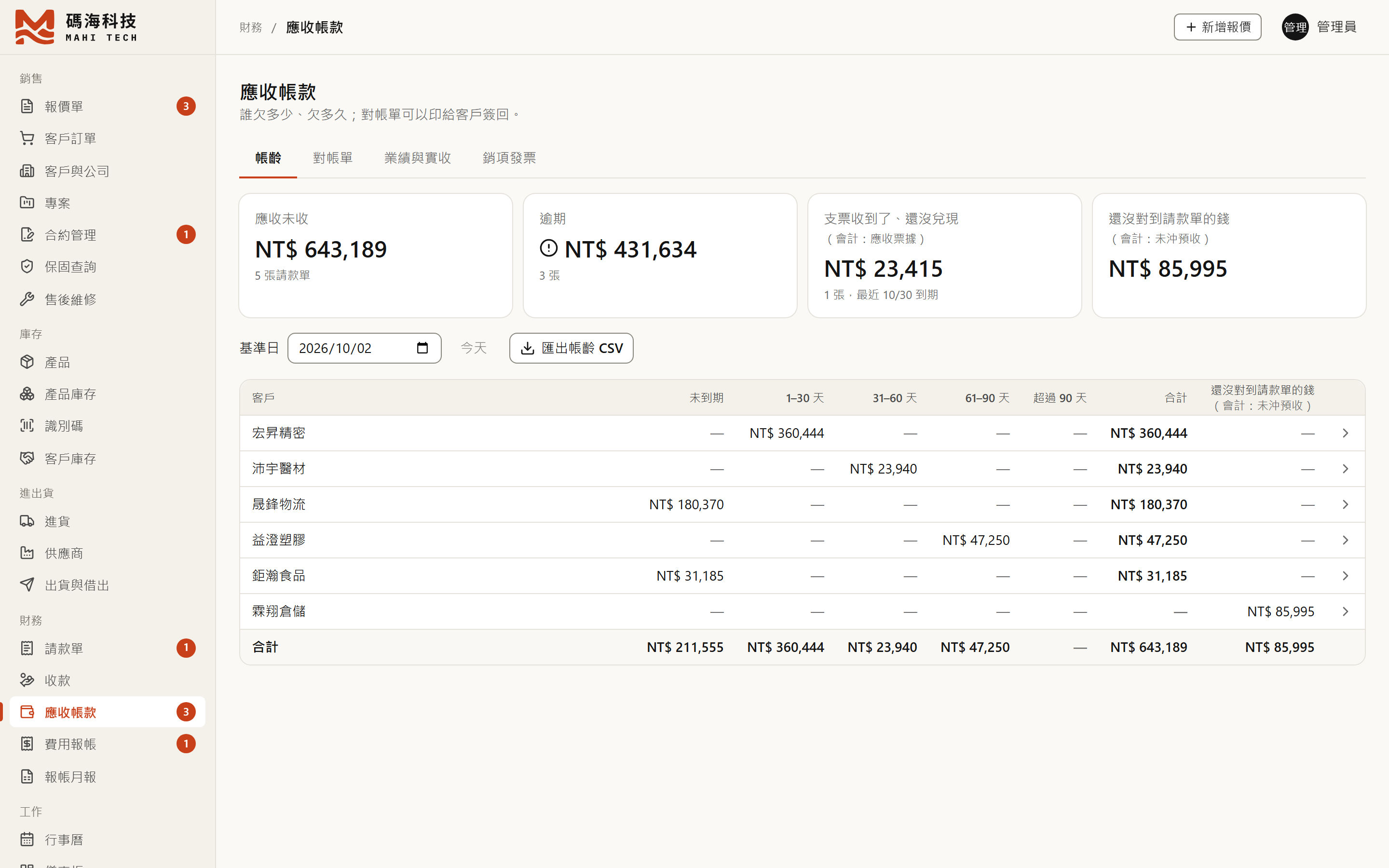
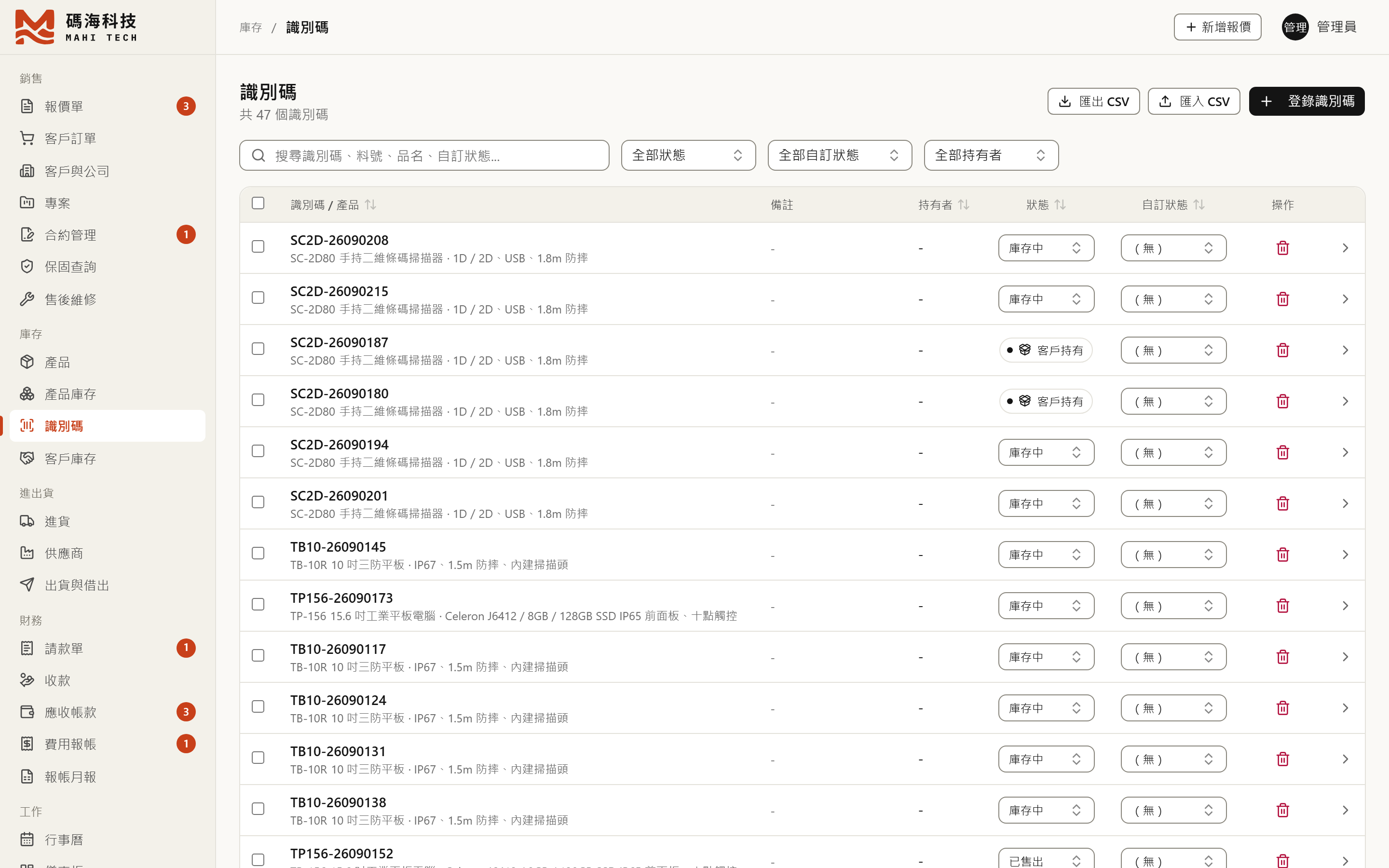
A won quotation becomes an order, and each unit's serial number is assigned as it ships. Bills can be raised by instalment, by shipment or by contract period, with reminders before a contract ends. Partial payments, one payment covering several bills and bounced cheques are all recorded, and aging reports and customer statements print in one click.
Purchasing to payment, connected the same way
Purchase orders, goods receipts, payables, payments and purchase returns form one flow. Supplier invoices join the input-tax list, so the same invoice is never deducted once as an expense and again as a payable.
After-sales repairs check the warranty automatically
At intake, the serial number is traced back to the original order's warranty, taking earlier swaps and repairs into account. Out-of-warranty quotes, sending units to the manufacturer, loaner units and the return to the customer are all tracked, and no repair fee goes unbilled.
Modules switched on to fit the company
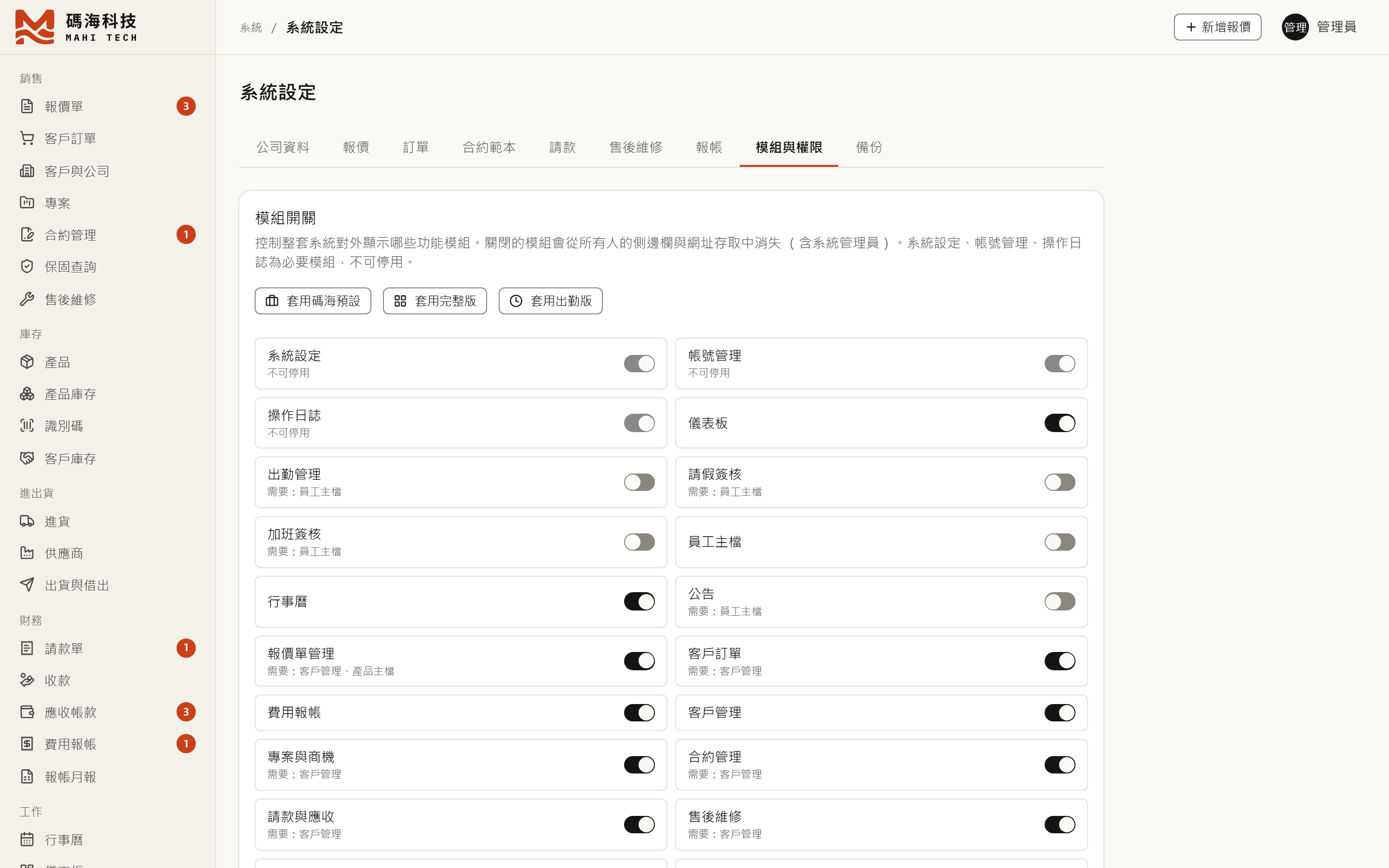
Each feature is a module switched on or off in settings, and modules missing a dependency switch off automatically. Companies with technicians in the field can add dispatch, job completion and technician stock; companies without them never see those screens.
Want something similar? Tell us how you work today.
Screens
Adapted to your workflow
The same system is assembled from modules, with fields and document layouts adjusted to the way each company works. Quotations and statements can keep your current layout. Some directions it can extend to:
Equipment distributors and system integrators
Serial numbers, warranty and repairs are the core, and can extend to scheduled maintenance and spare parts under each customer's contract.
Agents and trading companies
Multiple quotation versions, pricing by customer tier, and purchasing linked to payables so margin is visible on every order.
Project-based engineering and consulting firms
Contract instalment billing with project costs and hours allocated, so each project's profit is clear at month-end.
Service businesses with field technicians
With the dispatch module, technicians report completion from their phones and parts used come straight off stock.
Wondering whether a system like this would fit your company?
No specification needed.
Tell us which part of your work takes the most time, and we will look at the right approach together.