Project Archive Search
The files never move - a layer of memory is added on top
Turning more than a decade of project data on a company NAS from a pile of folders into something that answers in a few keystrokes. The files themselves stay exactly where they are.
- Type
- Internal file management
- Scope
- Index architecture
- Search engine
- Scanner
- Interface
- Industry
- In-house operations
The challenge
Given enough years, accumulated project data turns into a liability. Everyone knows the file is in some folder, but finding a particular file, for a particular client, from a particular year is close to impossible. Operating system search only knows file names; it has no idea which file belongs to which client or project. Worse, any proposal that moves files into a system gets rejected outright - nobody gambles fifteen years of work.
What we built
It finds projects, not just files
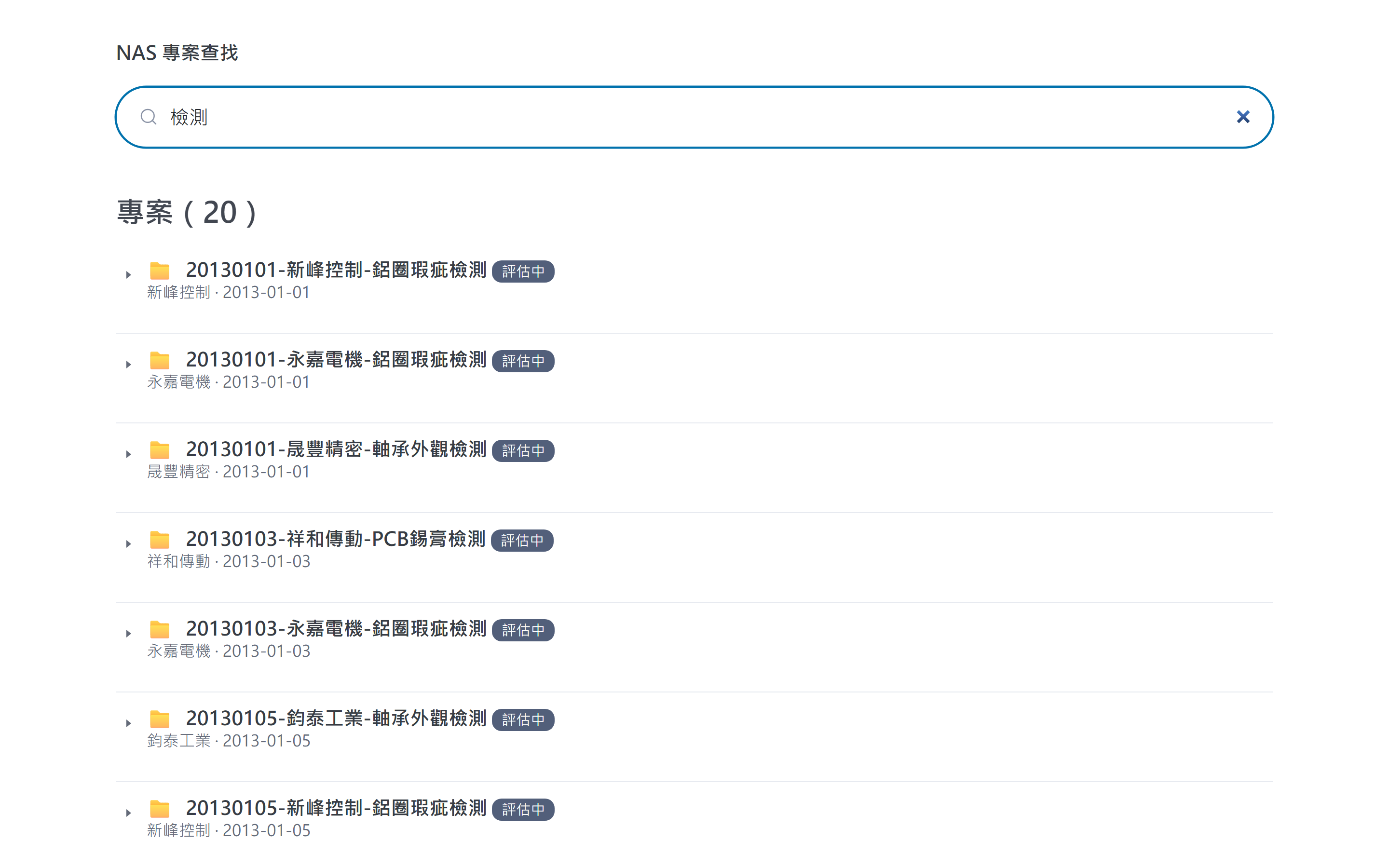
Type "inspection" and the first thing you see is which client, which year, which project. Open a project and its files unfold in place, grouped into quotations, evaluation reports, code and so on. People think in terms of "that job we did for them last year", not a file name. A typo or two still finds it, and results appear as you type across more than ten thousand projects.
Ten thousand old folders, turned into projects
Dates, clients and project names are parsed from folder names and filed automatically - nobody has to register them one by one. Folders that cannot be parsed are never guessed at, and never dropped.
Found means opened
Double-click a result and it opens in the software already on that computer - Office, DWG, STEP, SolidWorks. On a computer without the small opener tool, it falls back to copying the path in one click instead of breaking.
Not a single file moves
The system reads and never writes. It does not move, rename or delete anything on the NAS. If the system is switched off or torn down one day, every file is still where it was, openable in a file browser. That guarantee is what the client needed before saying yes.
Want something similar? Tell us how you work today.
The same approach also works for
The premise is that not a single file moves; an index is simply added on top. Any company with years of project folders that cannot risk moving them can use it, with folder naming rules and file categories adjusted to your conventions. Some directions it can extend to:
Architecture and interior design studios
Drawings, models and quotes filed by site can be found again by client, year or project name.
Mechanical and equipment engineering firms
Drawings and 3D models scattered across project folders open straight in the software already on the computer.
Accounting and law firms
Folders organised by client and year can become a case index searchable by client name.
Quality documents in manufacturing
Inspection reports and drawing revisions can extend to lookup by customer and part number.
Wondering whether a system like this would fit your company?
No specification needed.
Tell us which part of your work takes the most time, and we will look at the right approach together.