Custom B2B management systems
Planned around your own process, bringing inventory, dispatch, stock and sales and internal admin into one system.
Many companies have tried an off-the-shelf inventory or ERP package and ended up back in Excel. The software is not bad; its built-in process simply does not match how the company actually works, so people keep a second copy outside the system.
We work the other way round. We start by learning how you take orders, dispatch jobs and reconcile accounts, and then turn those steps into software. Fields use the names your team already uses, each screen shows only what that person needs, and it works on a phone too. You can bring everything together at once, or begin with the part that takes the most time.
Common needs
Inventory tracked down to each serial number
Not just quantities. For every unit you can see its serial number, whether it is in the warehouse or with a technician, and where it was finally installed, so repairs can be traced later.
Dispatch through to job completion
Creating a job, assigning a technician, on-site updates and closing the job all happen in one place, with every status change on record instead of buried in a group chat.
Stock, sales and live margins
Scan a barcode on a phone to book stock in. Inventory, sales and cost are linked, so you do not have to wait until month end to know whether a batch made money.
Attendance, leave and overtime calculated together
Staff clock in on their phones with location. Approved leave, overtime and annual leave flow straight into working hours, and reports export for any date range.
Years of project files you can actually find
An index over your existing files means a few keywords bring up documents from years ago, and the files themselves never have to move.
Quotes, customers and stock movements in one place
For example, gathering the spreadsheets kept on different people's computers into shared data, with a record of who changed what and when, and new modules added as you need them.
Reports calculated by your own rules
How hours are counted and which columns a report needs are agreed line by line with the people responsible before they go into the system, and the basis is visible on screen.
How we work
See how the work is done today
We start from the forms, group messages and spreadsheets you use now, and find the steps that take the most time or go wrong most often.
Agree the rules before building them in
Rules such as how hours are calculated or who may change a status are confirmed with the people responsible first, so accounting does not discover a mismatch at month end.
Start where it matters most
The first stage covers only the process that needs the most help. Once it runs smoothly, we extend to inventory, reporting or other departments.
One separate system per company
Each client has its own database and services, completely separate from everyone else, so changes made for one company never affect another.
Looked after once it is live
The system's health is part of our monitoring, so we hear about problems first. We can also hand it over in full for your own team to run.
When it fits
- The same data lives in several spreadsheets and rarely matches
- Jobs, progress and updates all go through LINE groups and are hard to trace later
- You tried packaged software, it did not fit, and everyone drifted back to paper
- You want to systemise one process first and grow from there
Related work
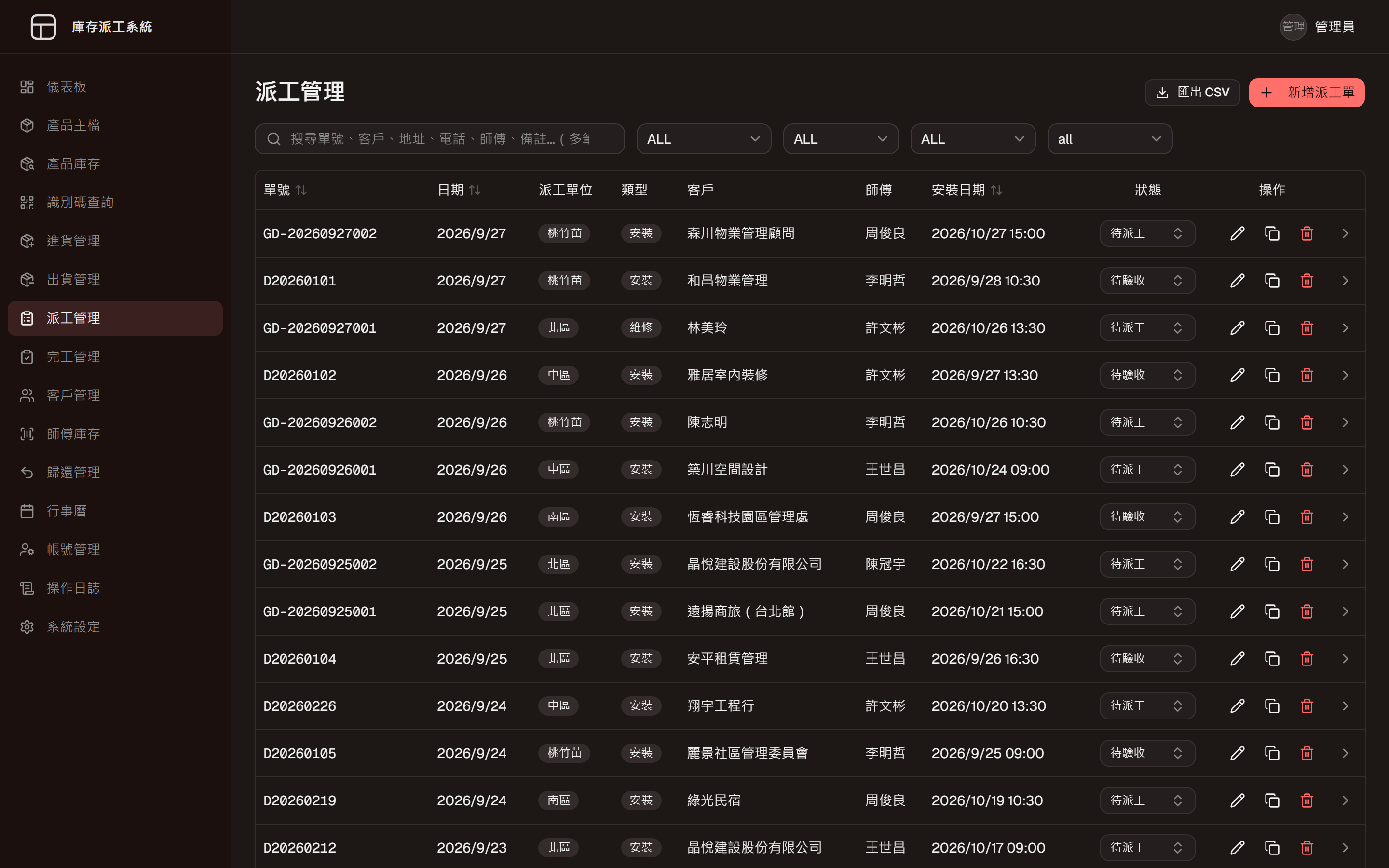
Inventory and Dispatch System
One system from goods-in to job closed
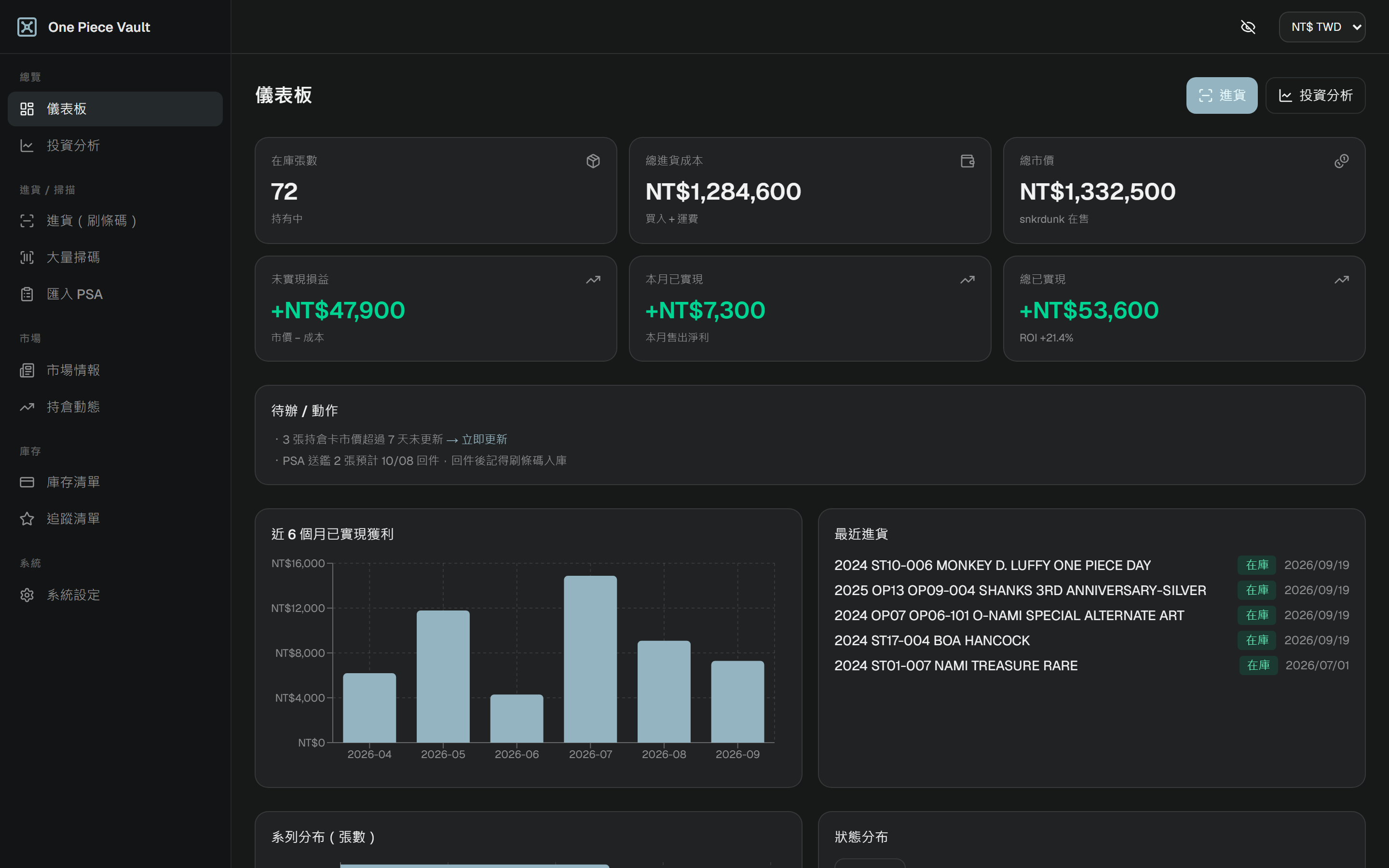
Inventory and P&L System
Inventory and margin, with prices that update themselves
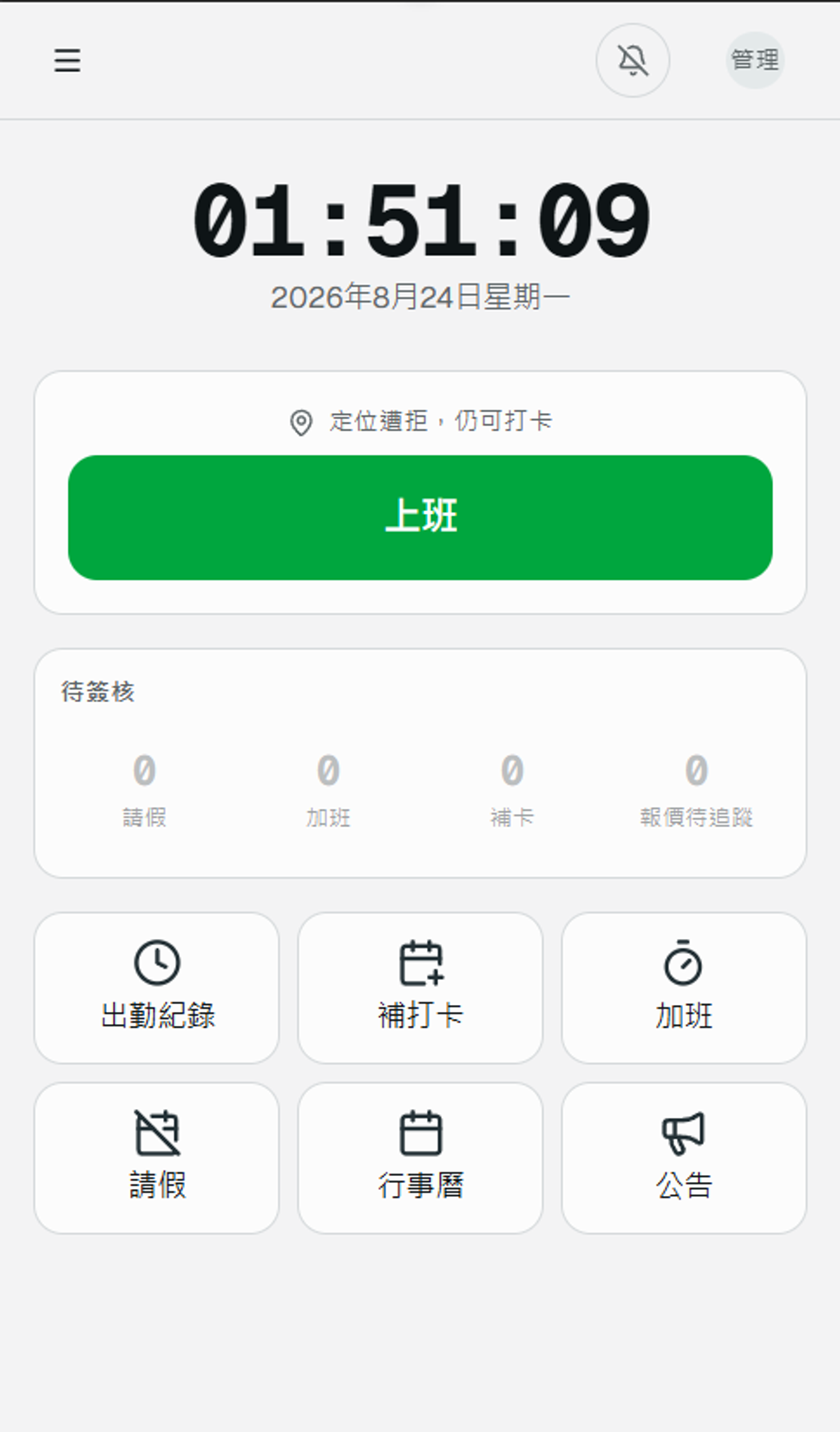
Attendance System
Phone clock-in with location, and every downstream number calculated
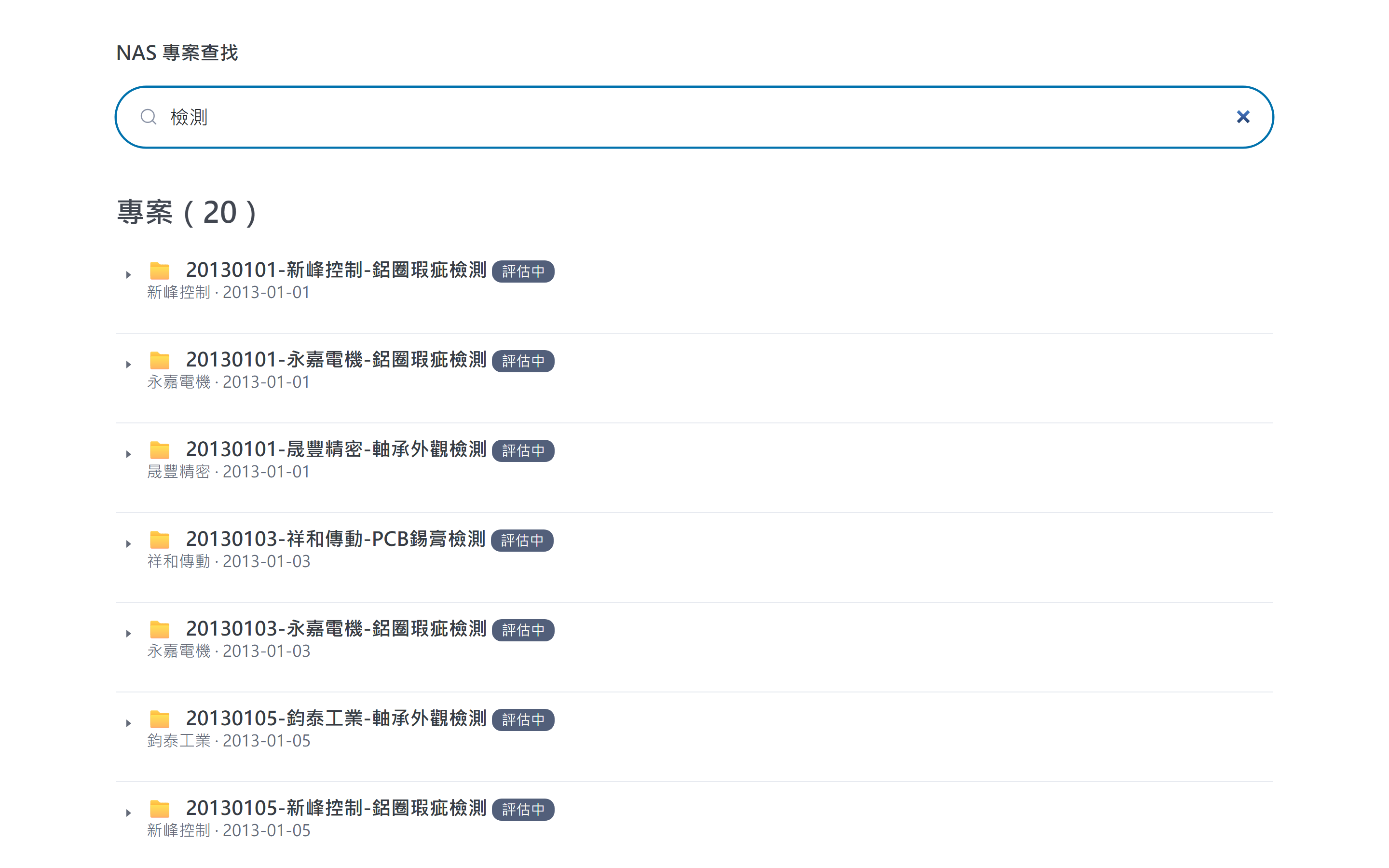
Project Archive Search
An index layer over the files, searchable as you type
You might also need
Common scenarios for this service. These are examples, not completed client projects.
pick the items, get the quote
Every quote starts by copying an old file, changing the customer name and looking up the latest prices, and soon nobody is sure which version went out. Instead, sales can tick items and quantities on a web page, have the right price tier applied and produce a consistent quote, with every version kept on record.
a LINE message before you run out
Best-selling items tend to run out quietly, and the shop finds out when a customer asks. Set a safety level for each item; once stock drops below it, the person who reorders gets a LINE message with the current count and the last delivery.
shops and web store on one inventory
With physical shops and an online store each keeping their own count, items sell online that the shop ran out of days ago. Connecting every location to a single stock record means a sale anywhere is deducted right away, and transfers between shops are recorded too.
an Access or VB6 program rebuilt for the web
A long-serving Access or VB6 inventory program opens on only one PC, so colleagues take turns to look things up. We first map its tables and everyday workflows, then rebuild it to run in a browser, bring all the old data across and keep the screens as familiar as possible.
repair jobs from first call to sign-off
For an air-conditioning or equipment repair firm, service calls, technicians' schedules and completion photos tend to be scattered across several LINE groups. One dispatch system can bring it together: the office creates and assigns jobs, technicians report photos and customer signatures from their phones, and everyone can see where each job stands.
a daily order list based on actual usage
After closing, a restaurant counts its ingredients and messages each supplier separately, with quantities based on the manager's instinct. Linking till sales to the stock count, the system can suggest order quantities from past usage and, once the manager confirms, split them into an order for each supplier.
Questions
We already use packaged software. Do we still need something custom?
Not necessarily. If your current software is only missing a few features, we first look at whether it can be connected or extended. We only suggest building something new when the process genuinely does not fit.
Can our existing spreadsheets be brought into the new system?
Yes. Before launch we help clean up and import your existing data, and check the record counts and contents with you.
Some of our staff are not comfortable with computers. Will it be too complicated?
Each role only sees the functions it needs, in the words your company already uses. We provide guidance at launch and adjust based on how people actually use it.
How is the cost worked out?
It depends on what you need. Once we understand the problem and the scope of the first stage, we will give you a quote.
Would you like to talk through your situation?
No specification needed. Tell us which part of your work takes the most time, and we will look at the right approach together.