Custom software for manufacturers and factories
On many factory floors, figures are still copied down by hand, and there is often an old computer by the line that is the only one able to run a key program. We can connect readings, work orders and quality records to a system at the pace your floor works, or keep old programs running on new computers. Equipment that can stay, stays, and we keep the way your staff already work wherever we can.
What we often hear
- "Output and downtime are still written down by the shift leader walking round the machines."
- "When a customer asks how their order is going, sales has to go and ask on the floor."
- "Inspection sheets are on paper, so when something goes wrong it's hard to trace the batch."
- "Only that XP computer can open the recipe program, and the vendor is long gone."
- "If the old PC connected to the measuring instrument dies, the whole line stops."
Services that fit
Factory automation software
Production data collection, PLC, barcode and camera links, work order tracking and digital quality records, starting with one machine or one line.
Legacy application migration
For key programs from older versions of Windows, we first assess whether the runtime environment can be rebuilt on Windows 11 without changing the program.
Custom B2B management systems
When work orders, inventory and shipping need to come together, we plan the system around how your factory already works.
Integration and long-term support
Shop-floor PCs are often offline, so backups, restores and handover documents must work on site on their own.
What we could build for you
These are example scenarios showing how such needs can be met. They are not completed client projects.
Related approaches (real projects)
These are real systems we have built. They share a process or technology with this industry, and most are not clients in it; each note says why it is relevant.
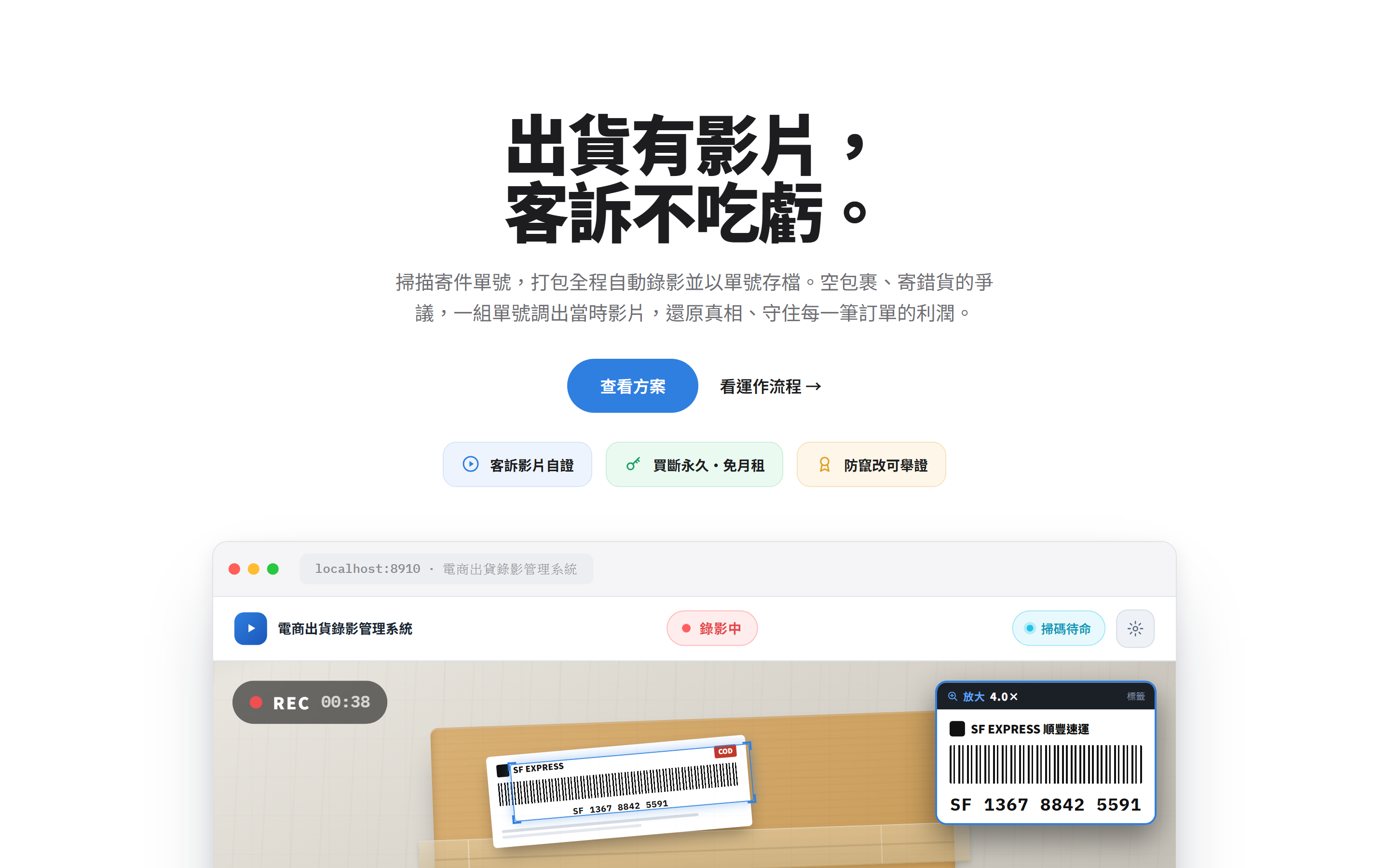
Packing Video Evidence
Shipment video records. Scanning a barcode starts recording and files the video under the tracking number, a working example of barcode and camera integration. Not a manufacturing client.
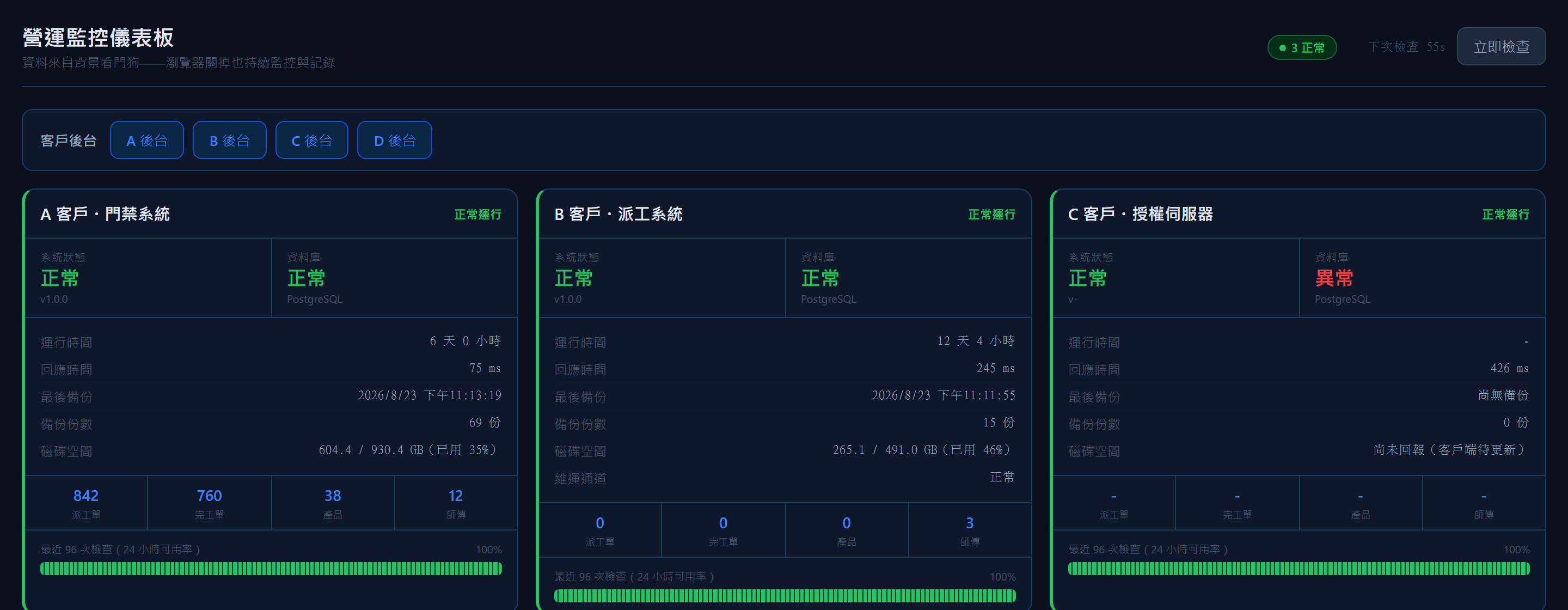
Operations Monitor
Operations dashboard. Checking every minute and alerting on problems is an approach that extends to equipment status monitoring. Not a manufacturing client.
Questions
Our equipment is fairly old. Can it still be connected?
Most equipment can be connected in some way, such as a serial port, the network, or data files left by the equipment's own software. We check the communication method and existing data first, then suggest an approach.
Can we start with just one production line?
Yes, and we recommend it. Start with one machine or one line, confirm the data is right and the floor finds it easy, then expand.
Our factory PCs can't go online. Can the system still work?
Yes. It can run on the plant network or on a single PC, and the manuals open offline too. If remote maintenance is needed, we plan a secure connection separately.
Would you like to talk through how your business works?
No specification needed. Tell us which part of your work takes the most time, and we will look at the right approach together.