Software built around
the way you work
MAHI TECH builds custom software for small and mid-sized businesses. We bring your processes into one system, help your team work more efficiently, and add AI where it genuinely helps.

What we do
From internal management systems and customer-facing websites and apps to the factory floor and ageing software, we build around the way each company actually works. These are the seven kinds of work we help with, each with a fuller explanation.
Custom B2B management systems
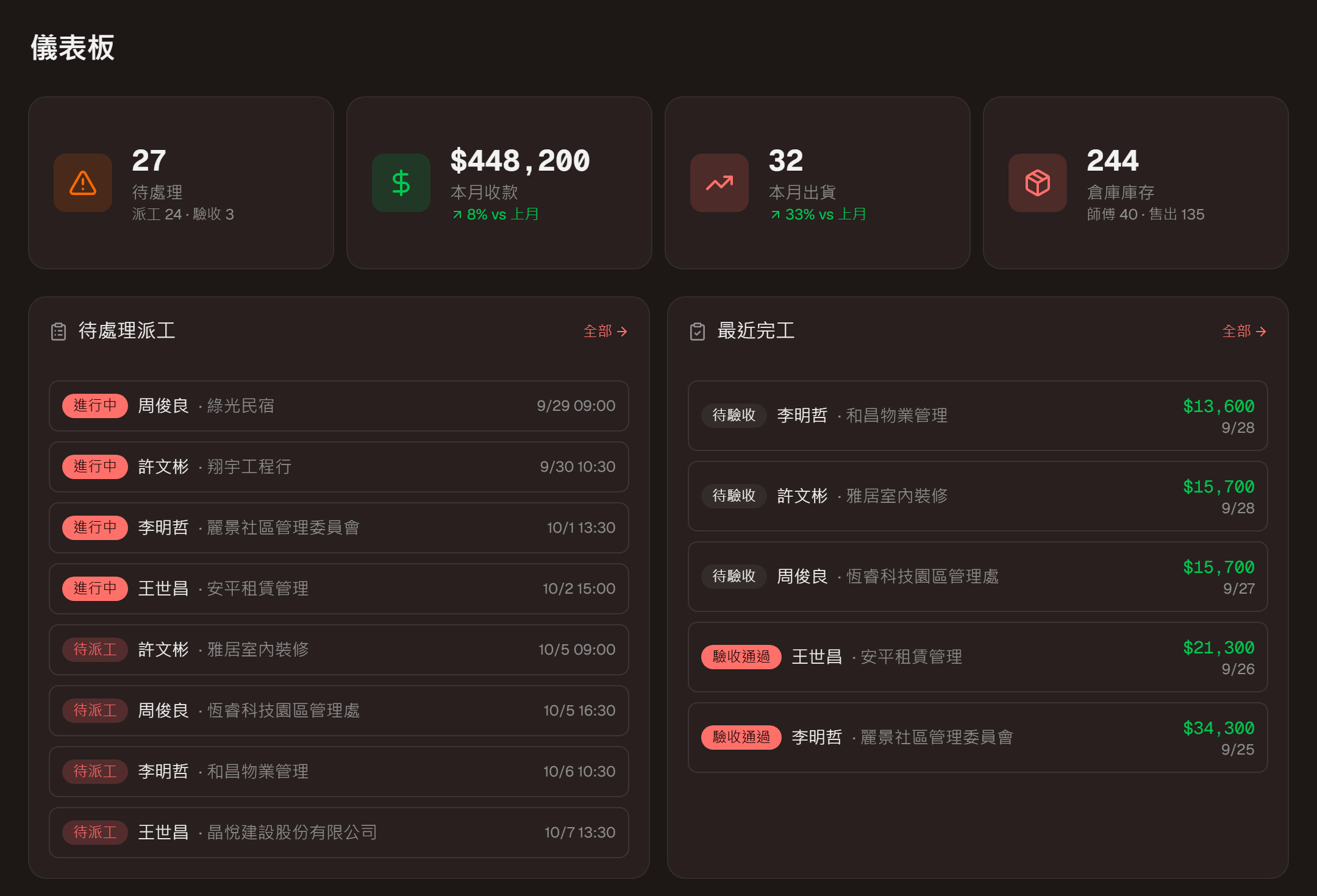
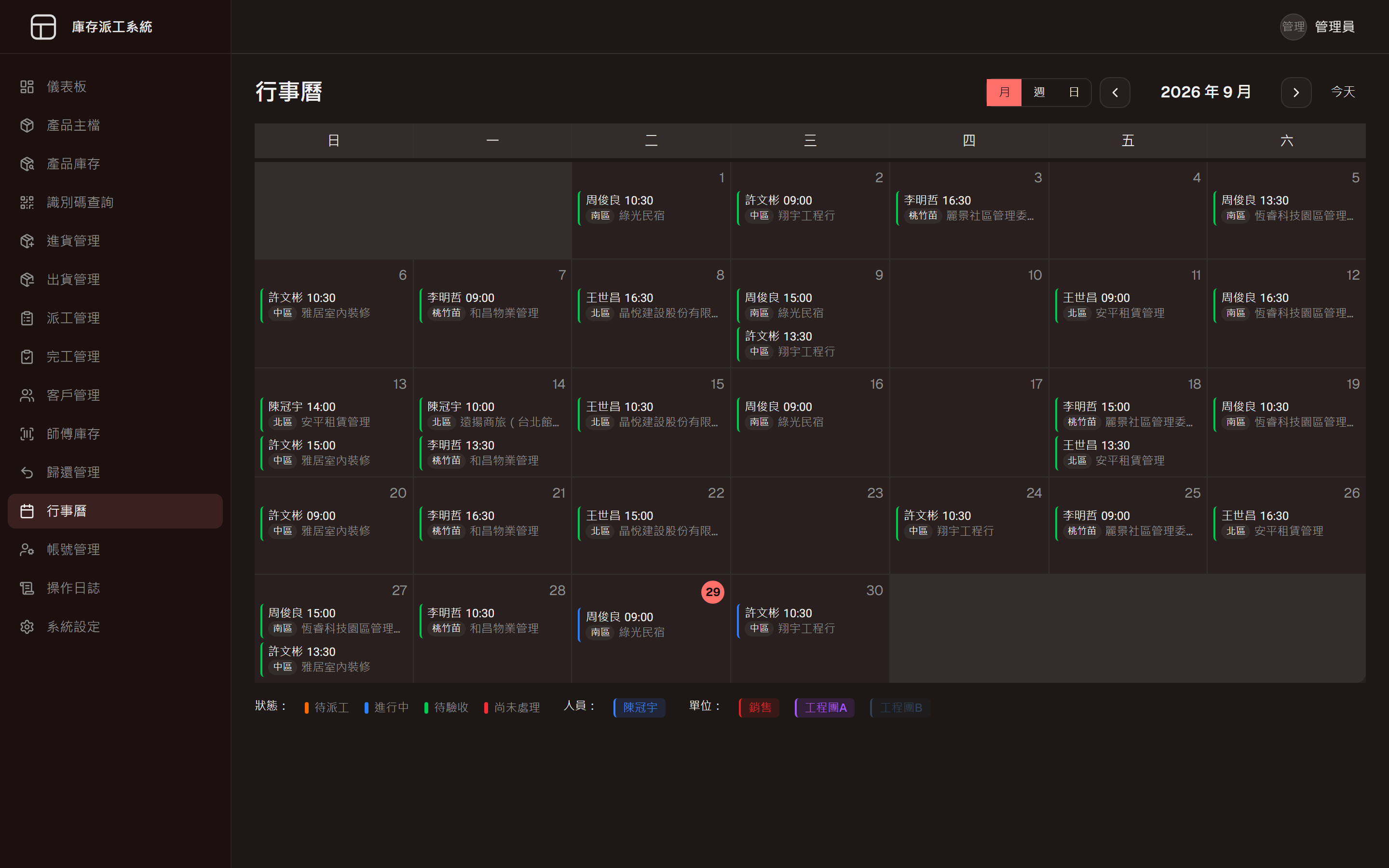
We plan the system around the way your company already works, instead of bending your process to fit packaged software. Inventory, dispatch, stock and sales, attendance and internal files can come together in one system your team opens every day, or you can start with the part that takes the most time.
A good fit forCompanies still running on Excel, paper and LINE groups, with information spread across several people.
Related workInventory and Dispatch System, Inventory and P&L System, Attendance System, Project Archive Search
More on Custom B2B management systemsCommon needs
- Inventory tracked down to each serial number
- Dispatch through to job completion
- Stock, sales and live margins
- Attendance, leave and overtime calculated together
Websites, apps and B2C products
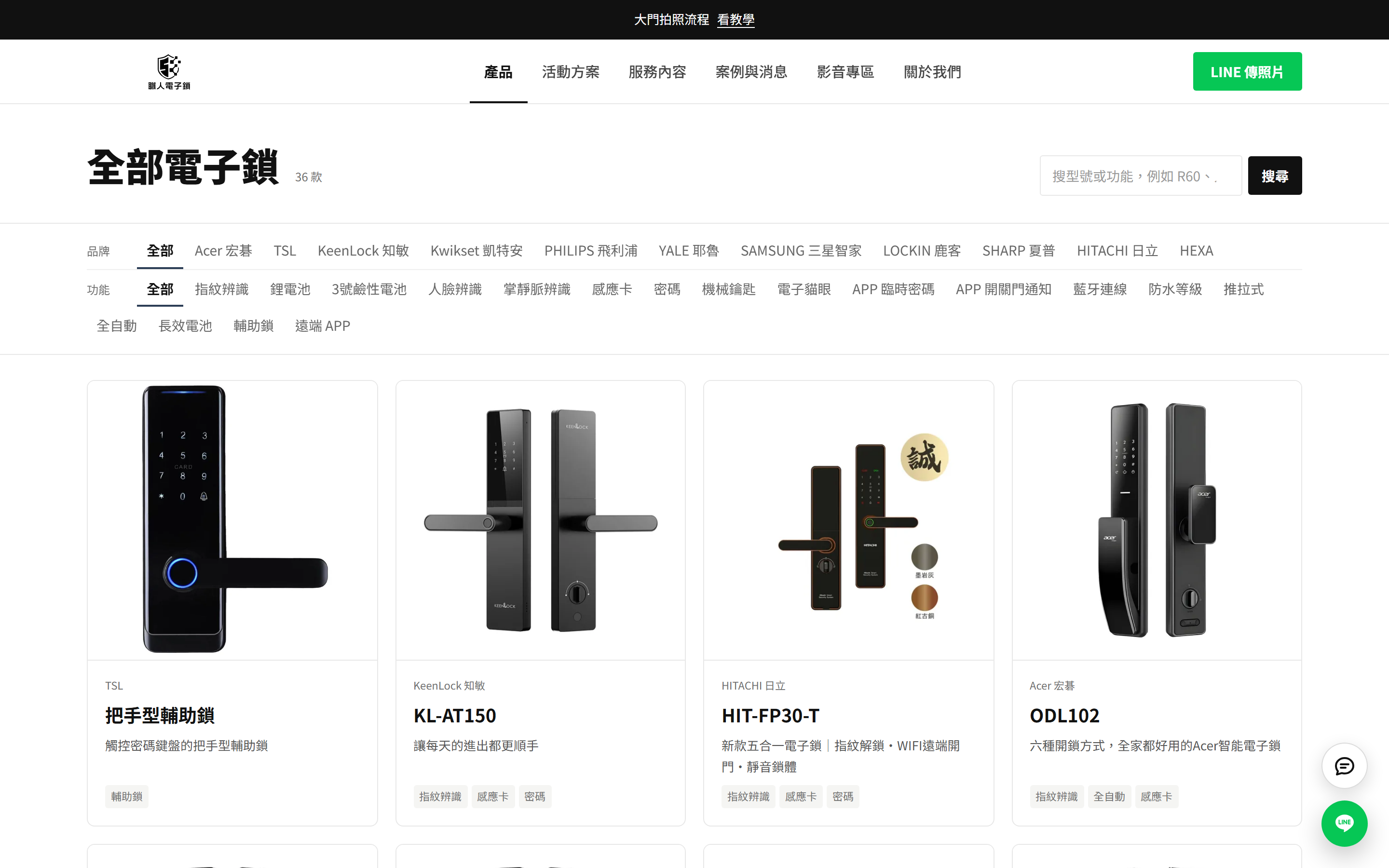
Customer-facing websites, online enquiries, mobile apps and subscription services. We treat the website as part of the business, so customers understand it and always see the next step, and your team can update it themselves. On the CSM Smart Lock site, customers start an enquiry by sending a photo of their door on LINE, and the marketing team publishes products and copy from the admin on their own.
A good fit forCompanies whose website has not changed in years because every edit goes through a vendor, or who want to sell directly to consumers.
Related workCSM Smart Lock Website + Admin, Industrial PC Configurator, Meeting Notes App, Packing Video Evidence
More on Websites, apps and B2C productsCommon needs
- A brand website with an admin you can edit
- Enquiries routed to LINE or a form
- Online configurators for complex products
- Mobile apps and subscription services
AI, put to work
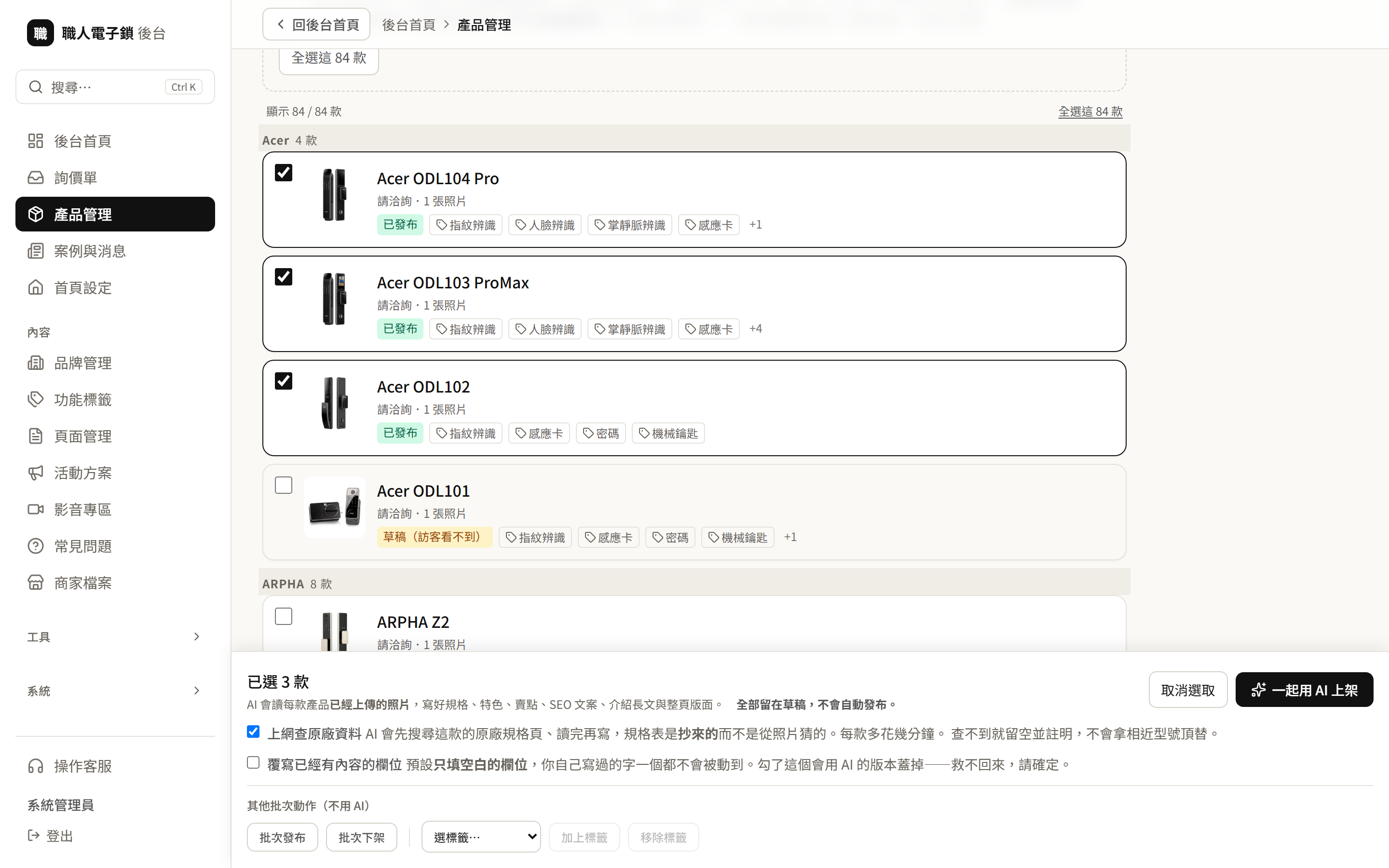
We add AI at the steps where it genuinely saves time, and keep everything else simple and dependable. Examples include an AI support assistant on a LINE official account, meeting recordings turned into summaries and action items, and one-click product listing in the CSM Smart Lock admin, which reads product photos, drafts the specifications and description, and saves them for a person to review.
A good fit forCompanies with a lot of repetitive replies, note-taking or product listing, who want to try AI on one step first.
Related workLINE Support Bot, CSM Smart Lock Website + Admin, Meeting Notes App, Bilingual Discord Mirror
More on AI, put to workCommon needs
- AI support on a LINE official account
- One-click product listing
- Product photo processing
- Meetings turned into summaries and action items
Factory automation software
What holds factory automation back is often not the machines but the software that connects equipment, people and data. We can build what your floor needs, for example production data collection and reporting, links to PLCs, barcode scanners and cameras, work order tracking and digital quality records.
More on Factory automation softwareLegacy application migration
Still relying on a program from the Windows XP, 2000 or Windows 7 era, with the original developer long gone and the PC getting older every year? We first assess whether the program can move to a new computer exactly as it is, keeping its screens, settings and data, rather than rewriting it from the start.
More on Legacy application migrationWorkflow automation tools
Some work does not need a whole system, just a small tool that hands a repetitive task to software. For example, using AI to compare two PDFs, tidying Excel reports automatically, or fetching data on a schedule and sending an alert. We start small, confirm it really saves time, then decide whether to go further.
More on Workflow automation toolsIntegration and long-term support
Launch is only the beginning. We suggest going live in stages, starting with the process that needs it most. Once live, our operations dashboard checks every system each minute so we hear about problems first, and each client runs on its own separate deployment. If you would rather run it yourselves, we hand it over in full.
More on Integration and long-term support
What we can build for you
Beyond our real projects, here are examples of common situations and how we could help. Each one is a system we can build for you, not a completed client project.
spot the differences between two PDFs
A purchase order and the supplier's confirmation often differ in small ways — an item name, a quantity, a delivery date — and line-by-line reading misses them. A small tool can have AI read both PDFs, compare them field by field and highlight every mismatch for a person to confirm.
from Windows XP to Windows 11
The PC beside the production line still runs Windows XP, it's the only machine that opens the recipe program, and the original developer can no longer be reached. We start by checking whether the program can run on Windows 11 without changing a line, keeping its screens, settings and data as they are.
machine readings collected into reports
Output, temperatures and downtime are still written down by a supervisor walking the line. Reading values directly from the PLC or the machine's own interface, a program can build per-shift and daily reports and log when each stoppage started and ended, so nobody has to reconstruct it from memory.
customers pick a slot, double-booking goes away
At many salons, bookings are handled one LINE message at a time while the stylists' rota lives on a whiteboard, and the same slot occasionally gets promised twice. A booking page lets customers choose a time and a stylist from the open slots only, and the shop sees the whole day at a glance.
an AI assistant on your LINE account
Most questions to an online shop are the same few — shipping fees, dispatch times, which size to pick. Gather those answers into one knowledge file and let AI reply on LINE straight away; returns, complaints and anything that needs judgement go to a person, who gets notified.
monitoring and daily backups
Internal systems often have nobody watching them; an outage surfaces when staff start complaining, and no one is quite sure the backups still run. Scheduled health checks send an alert when something goes wrong, backups go to a second location every day, and a regular test restore proves they actually work.
repair jobs from first call to sign-off
For an air-conditioning or equipment repair firm, service calls, technicians' schedules and completion photos tend to be scattered across several LINE groups. One dispatch system can bring it together: the office creates and assigns jobs, technicians report photos and customer signatures from their phones, and everyone can see where each job stands.
students check in, parents know
Around class time, the most common call to a tutoring centre is "has my child arrived?". Students tap a card or scan a QR code on the way in and out, parents get a LINE message automatically, and anyone expected but not checked in appears on a list at the front desk.
From orders to customer support,every step of a working day
Most small businesses move through the same steps each day, from taking orders, preparing stock and dispatching jobs to shipping, reconciling and answering customers. These are systems we have built for each step, shown with sample data or public pages. All 12 systems are listed in Our work below.
01Orders
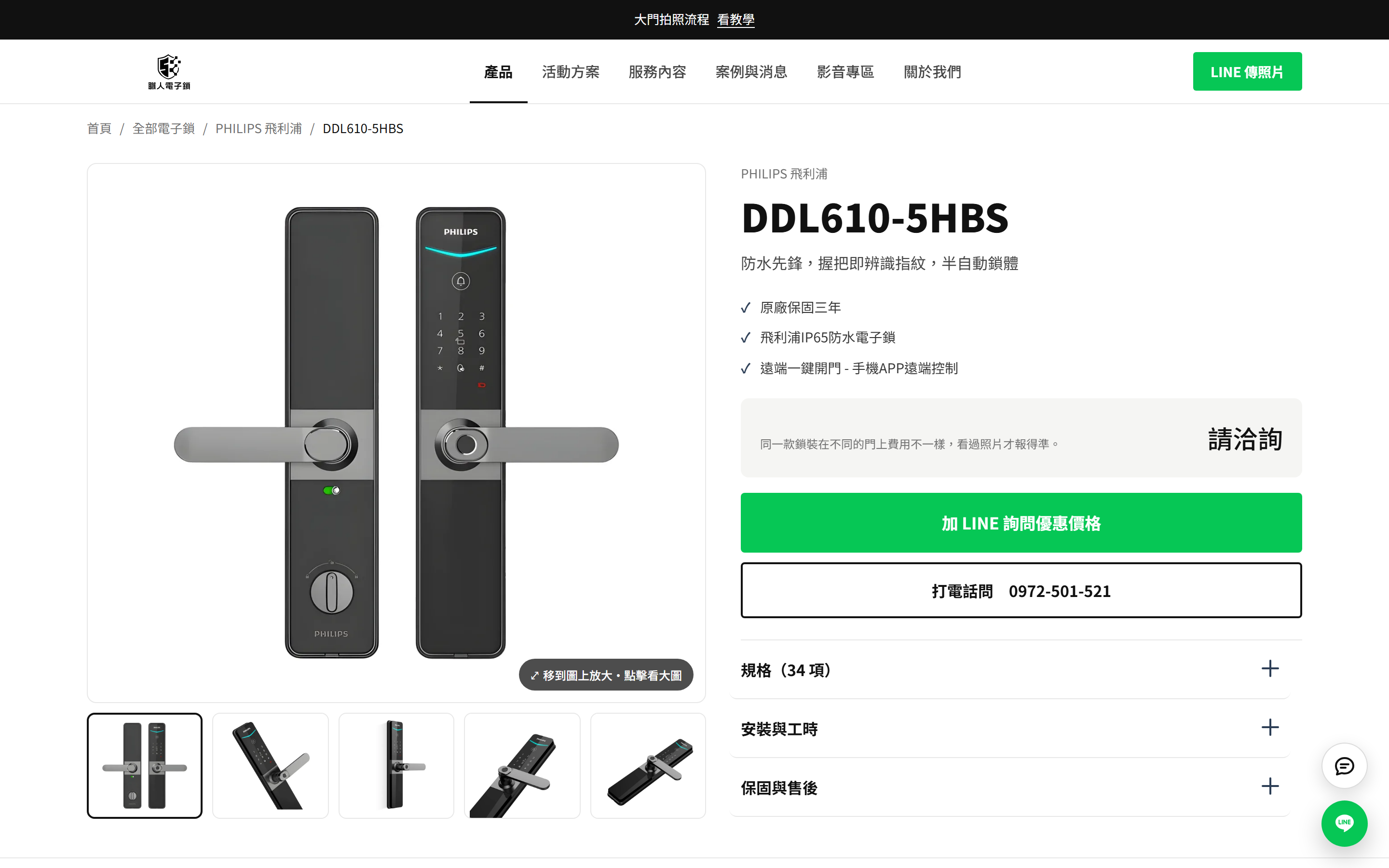
CSM Smart Lock Website + Admin
Every page invites customers to send a photo on LINE. They share a picture of their door, and the shop quotes after seeing it.
Also at this stepIndustrial PC configurator
02Stock
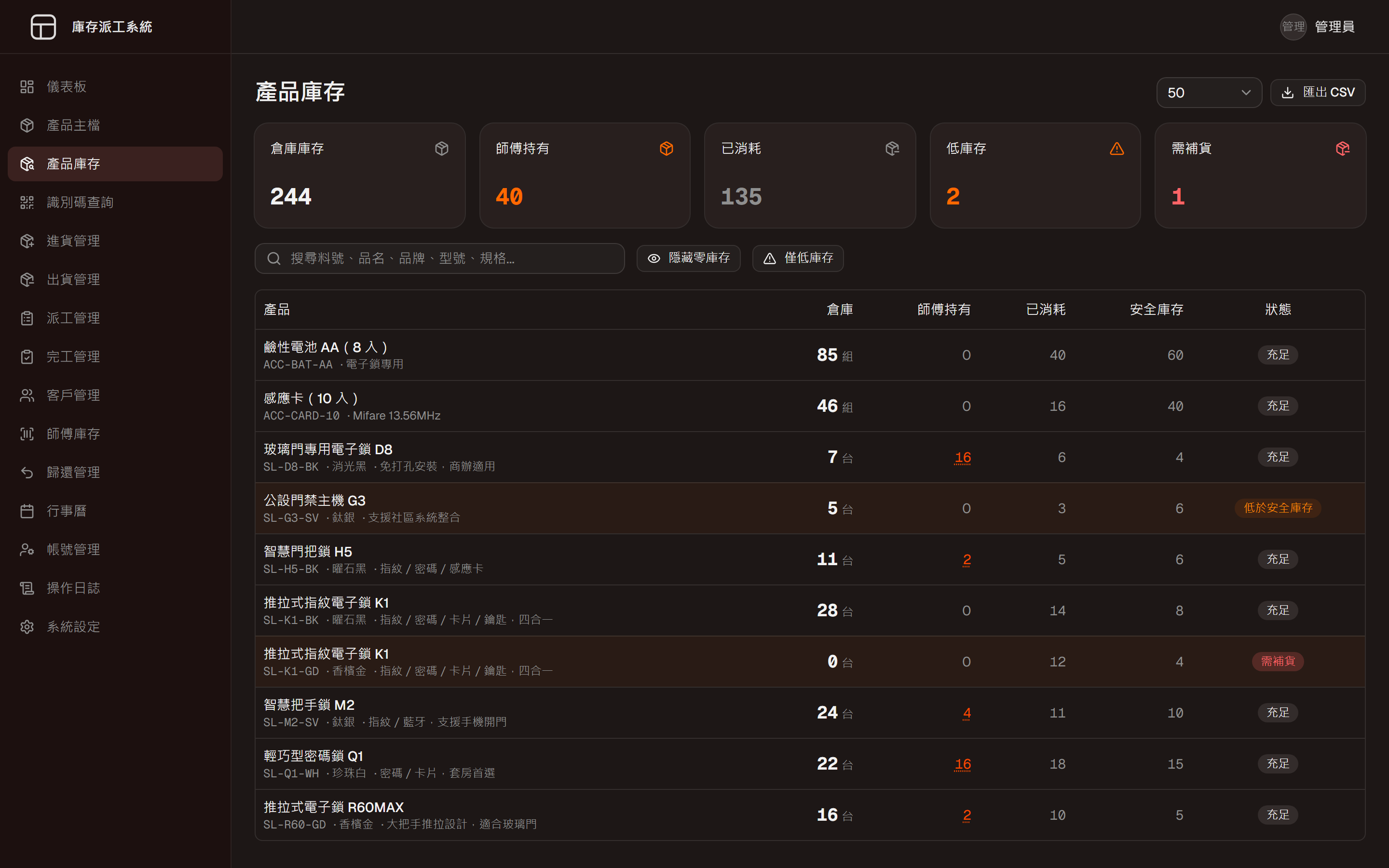
Inventory and Dispatch System
Warehouse stock and units held by technicians are counted separately, and items below safety stock are flagged.
03DispatchSame system as 02
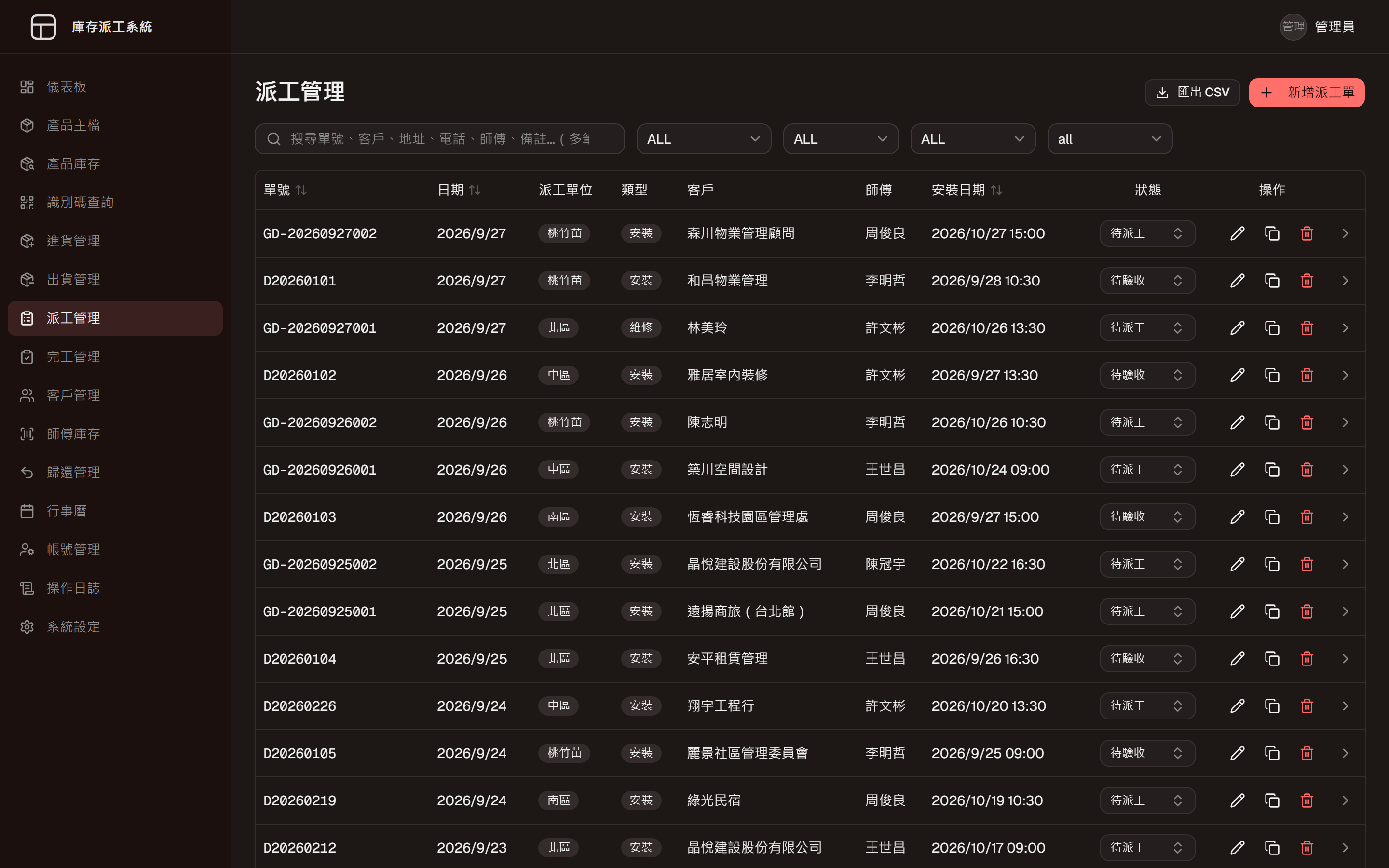
Inventory and Dispatch System
Jobs, assigned technicians, installation dates and progress sit on one page, with a calendar view as well.
04Shipping
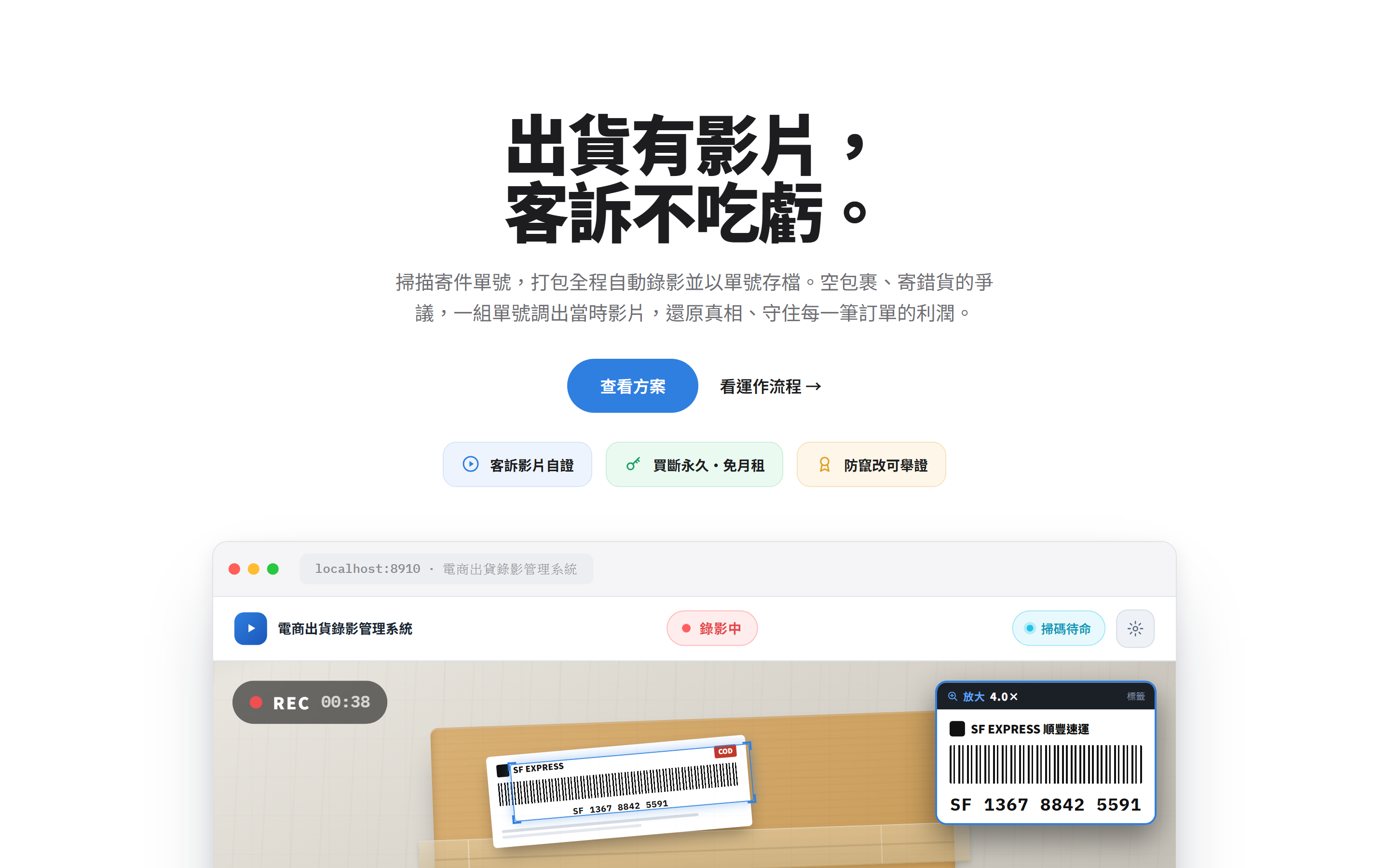
Packing Video Evidence
Scanning the waybill starts the recording while the parcel is packed, and entering that number later brings the video back.
05Accounts and margins
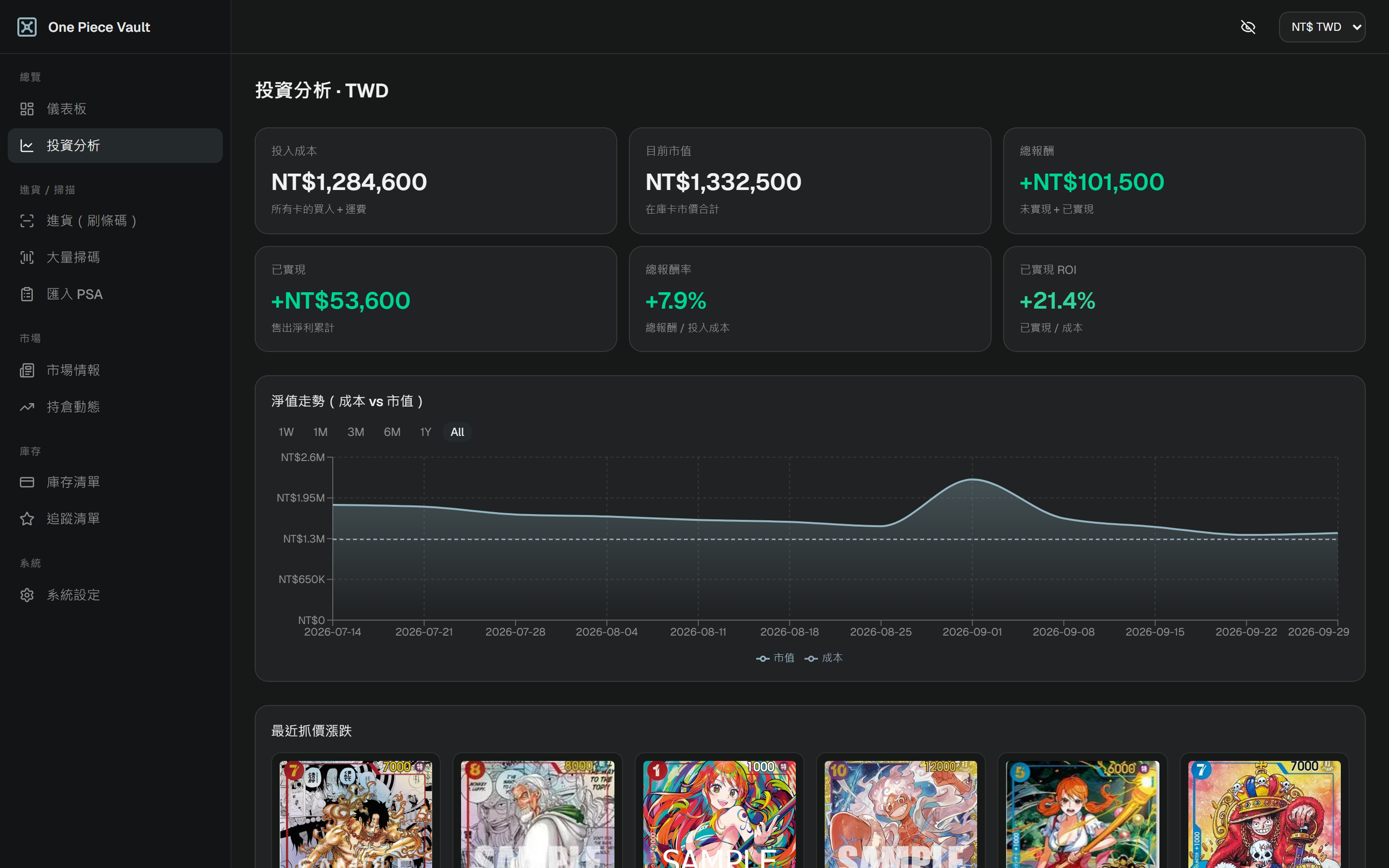
Inventory and P&L System
Purchases, stock and sales are linked and market prices update daily, so realised and unrealised margins are always visible.
06Support
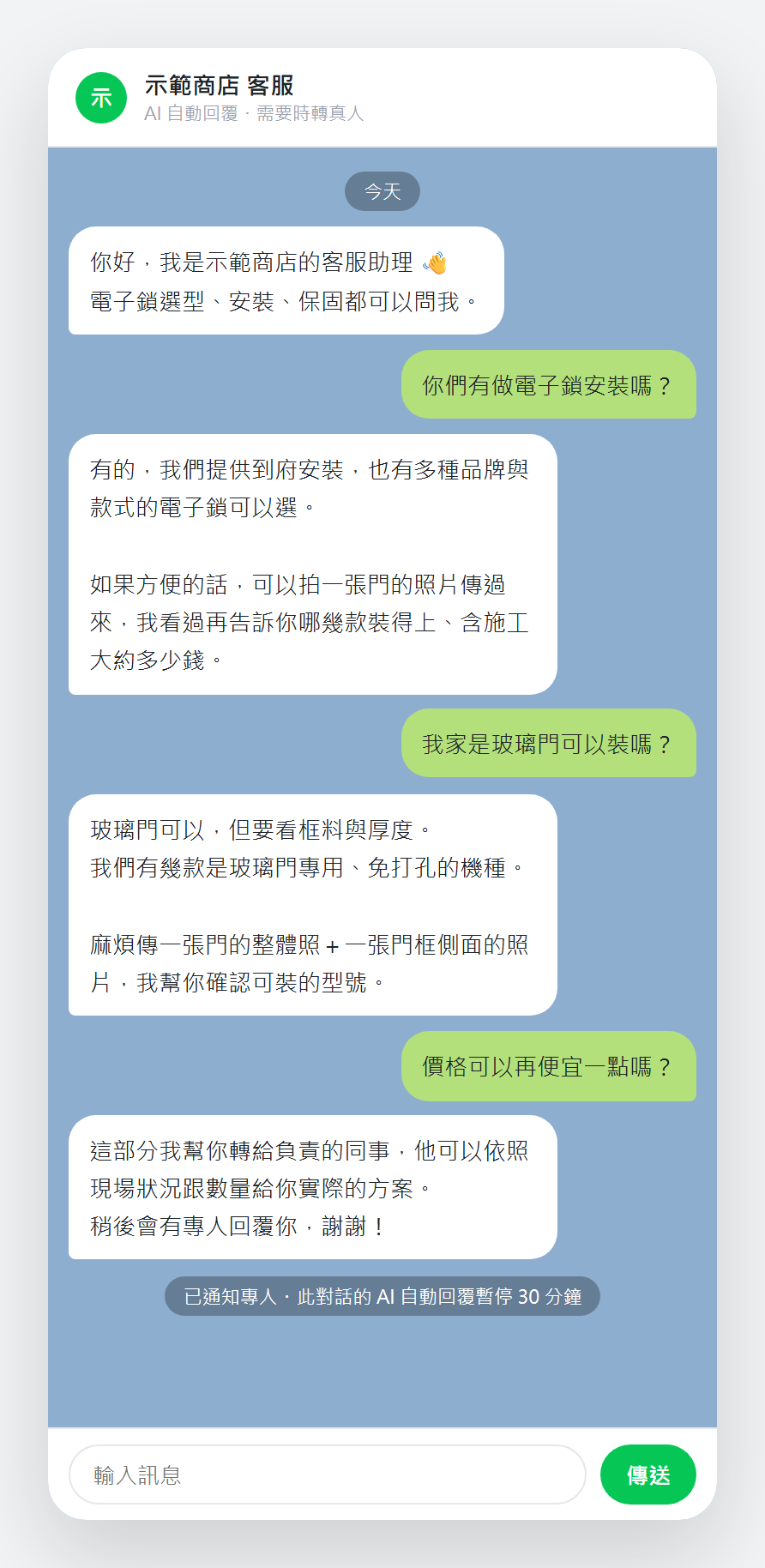
LINE Support Bot
Answers common questions on a LINE official account and alerts the shop when a real person needs to step in.
Our work
These are 12 systems we have built for clients and for our own business, across manufacturing, retail and e-commerce, equipment installation, meetings and online communities. Each one records the problem the client had and what we built.
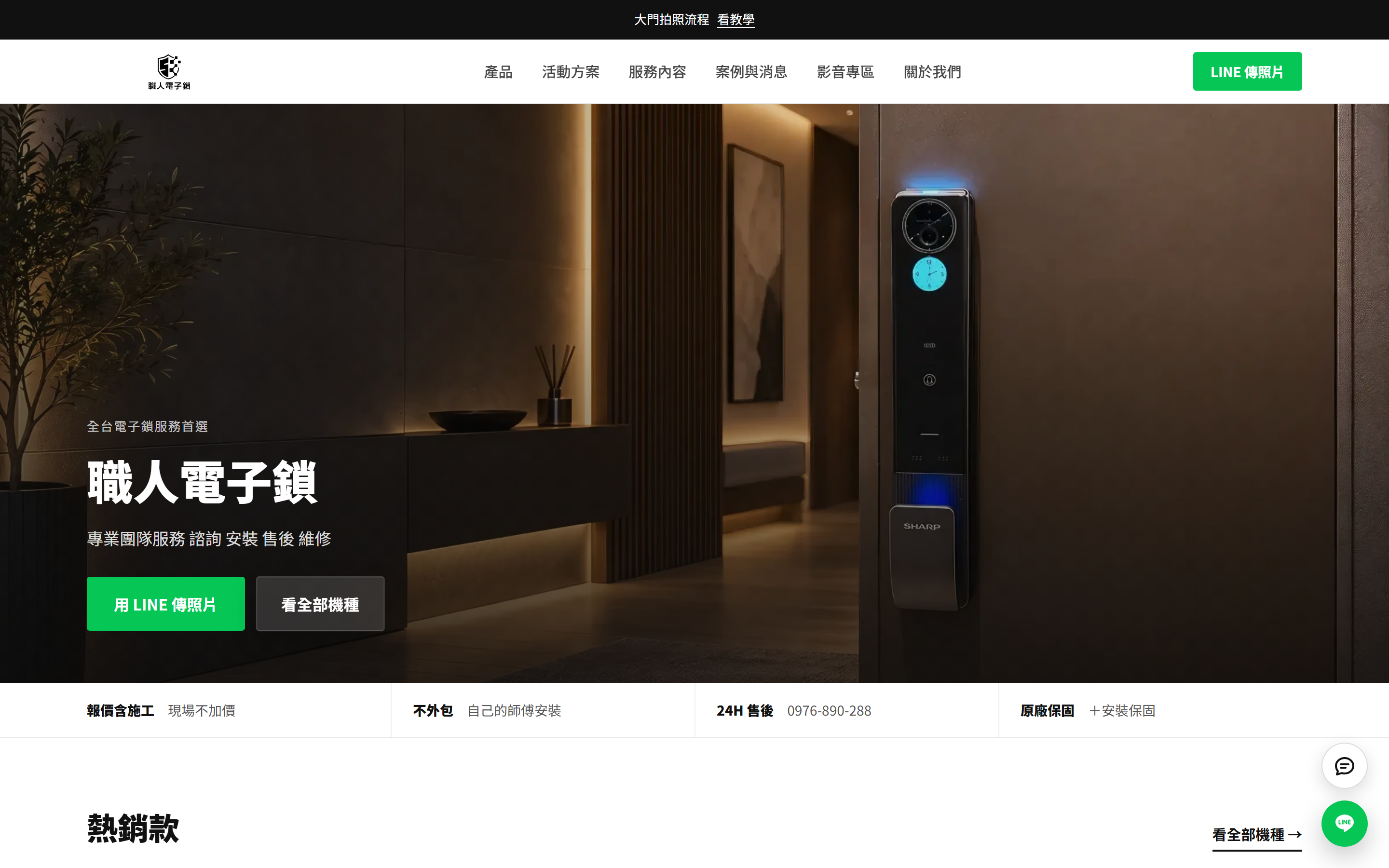
CSM Smart Lock Website + Admin
A website with an admin the shop runs itself, plus AI-assisted listingTypeWebsite and admin system
- Catalogue and content admin
- Tick the products, list them with AI
- The site's job is to bring customers into LINE
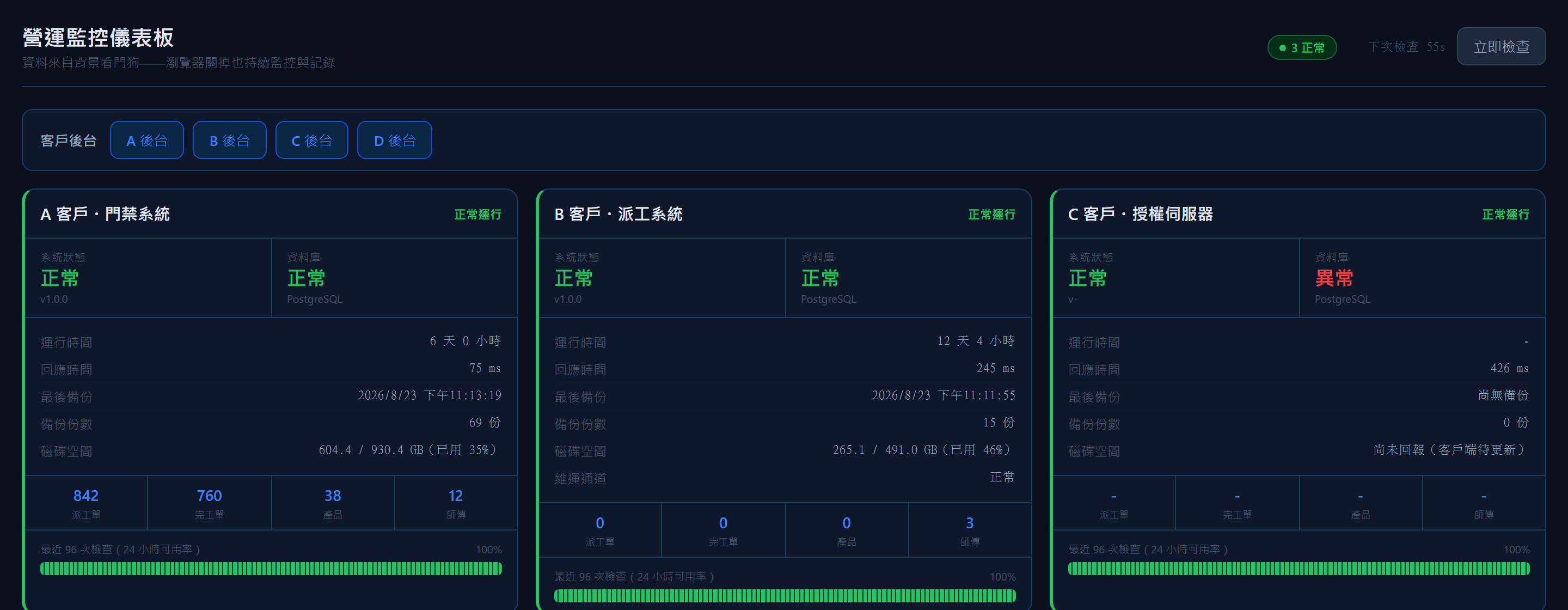
Operations Monitor
A health check every minute, so you hear it firstTypeInternal operations tool
- A check every minute, an alert the moment it turns
- The maintenance tunnel is monitored separately
- Every project rolled onto one page
Packing Video Evidence
Packing video evidence, indexed by tracking numberTypeLicensed software
- Scan to record, tracking number as the index
- Three scan modes for three kinds of bench
- The timer lives on the server, not in the browser
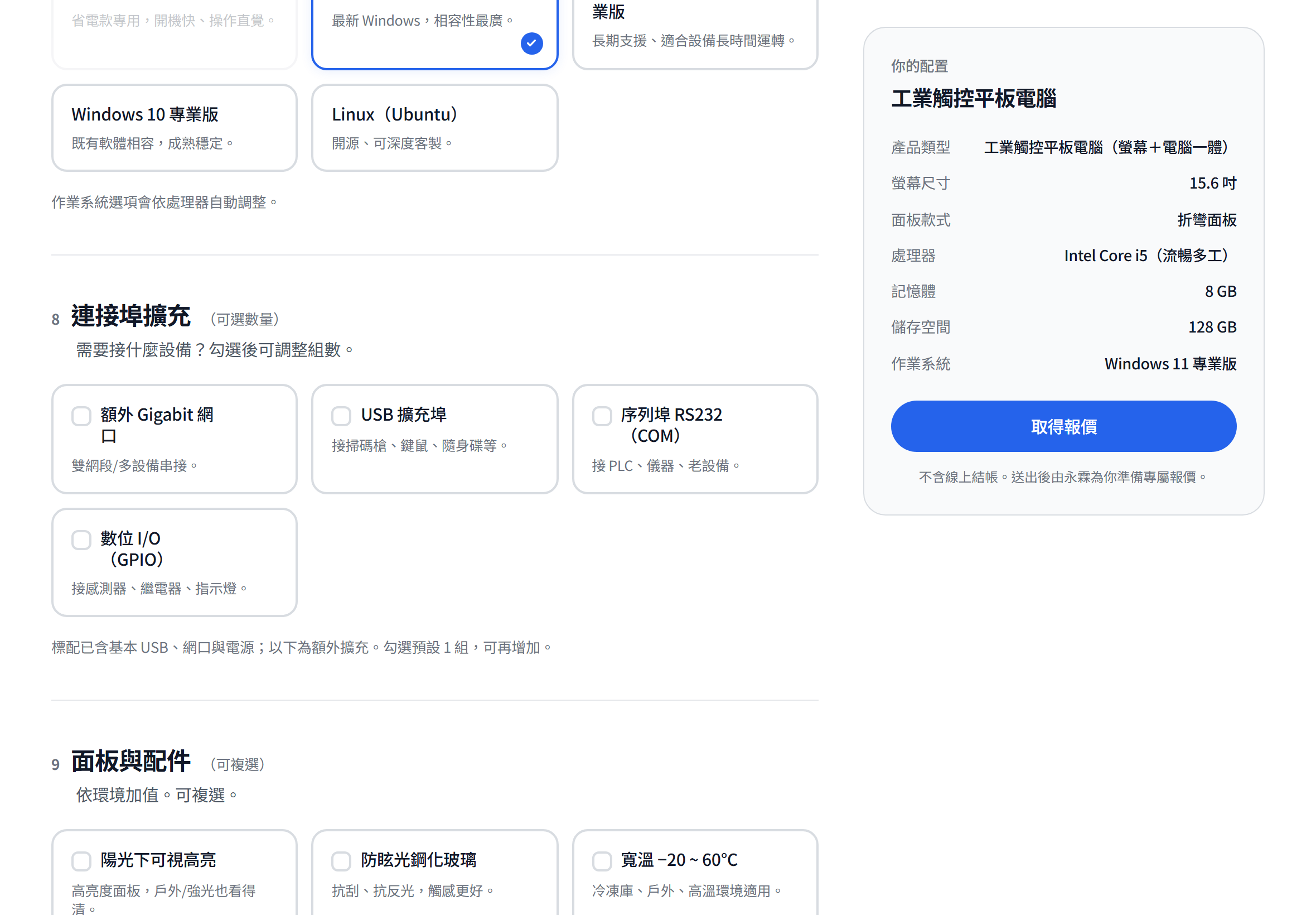
Industrial PC Configurator
An online configurator that ends in a quote requestTypeSales web page
- A configurator that behaves like a consumer store
- No prices anywhere on the page
- One product line equals one data file
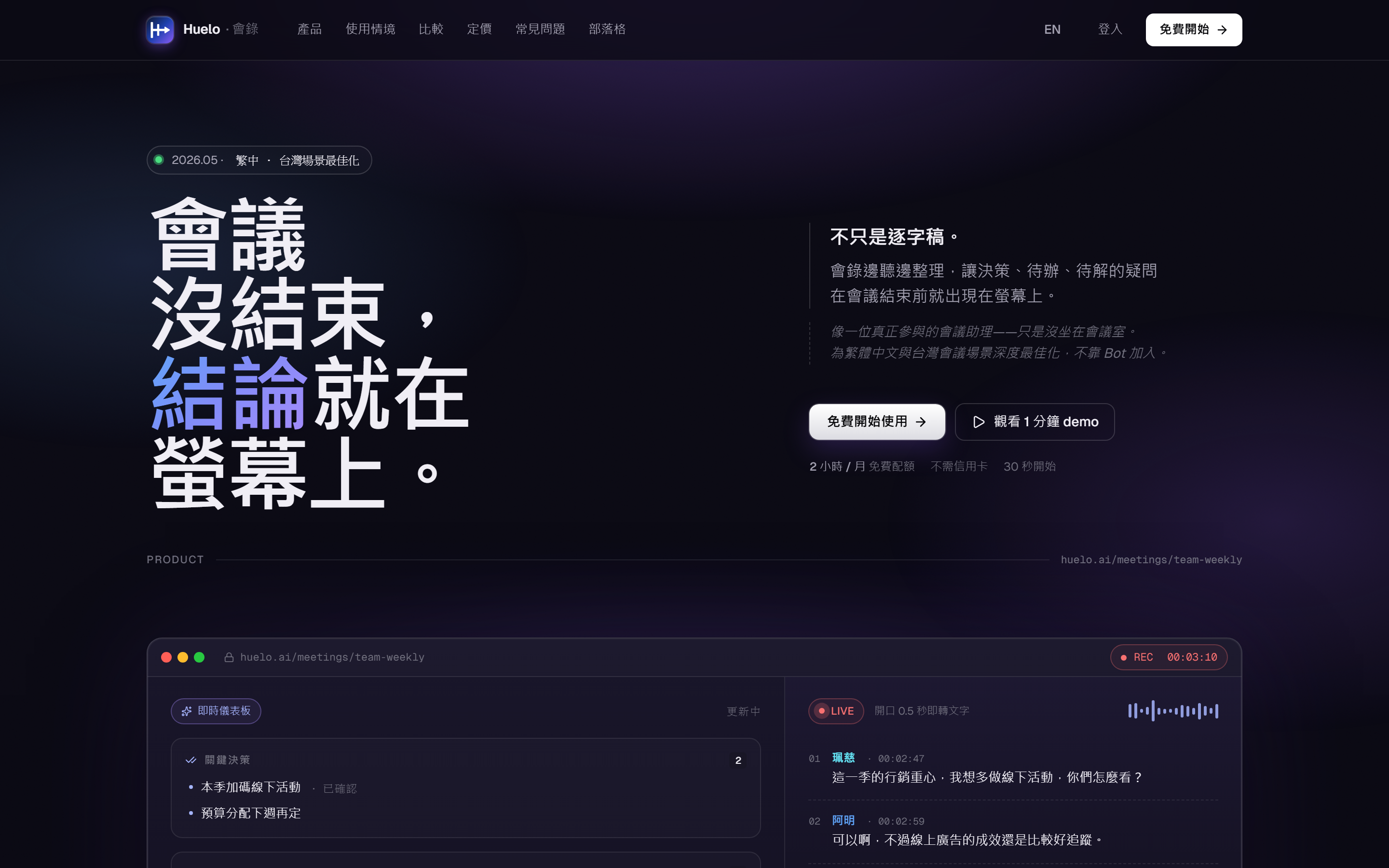
Meeting Notes App
Recordings become a knowledge base you can searchTypeSaaS product
- Naming and product philosophy
- Speech recognition tuned for how Taiwan works
- Recording that does not stop
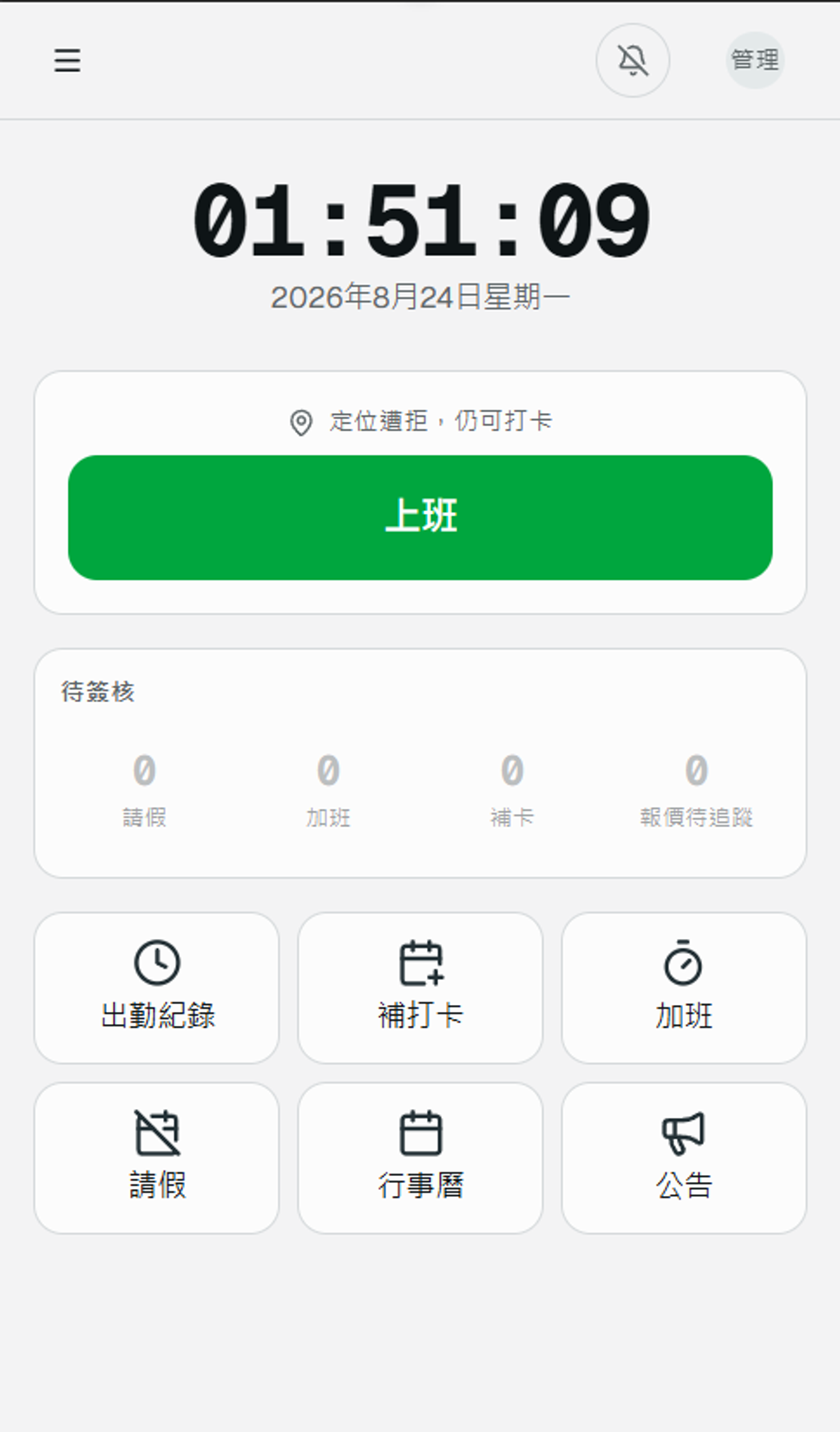
Attendance System
Phone clock-in with location, and every downstream number calculatedTypeInternal business system
- Clock in from a phone, on site
- Attendance, leave, overtime and annual leave in one calculation
- Working-hour definitions agreed with the client, then encoded
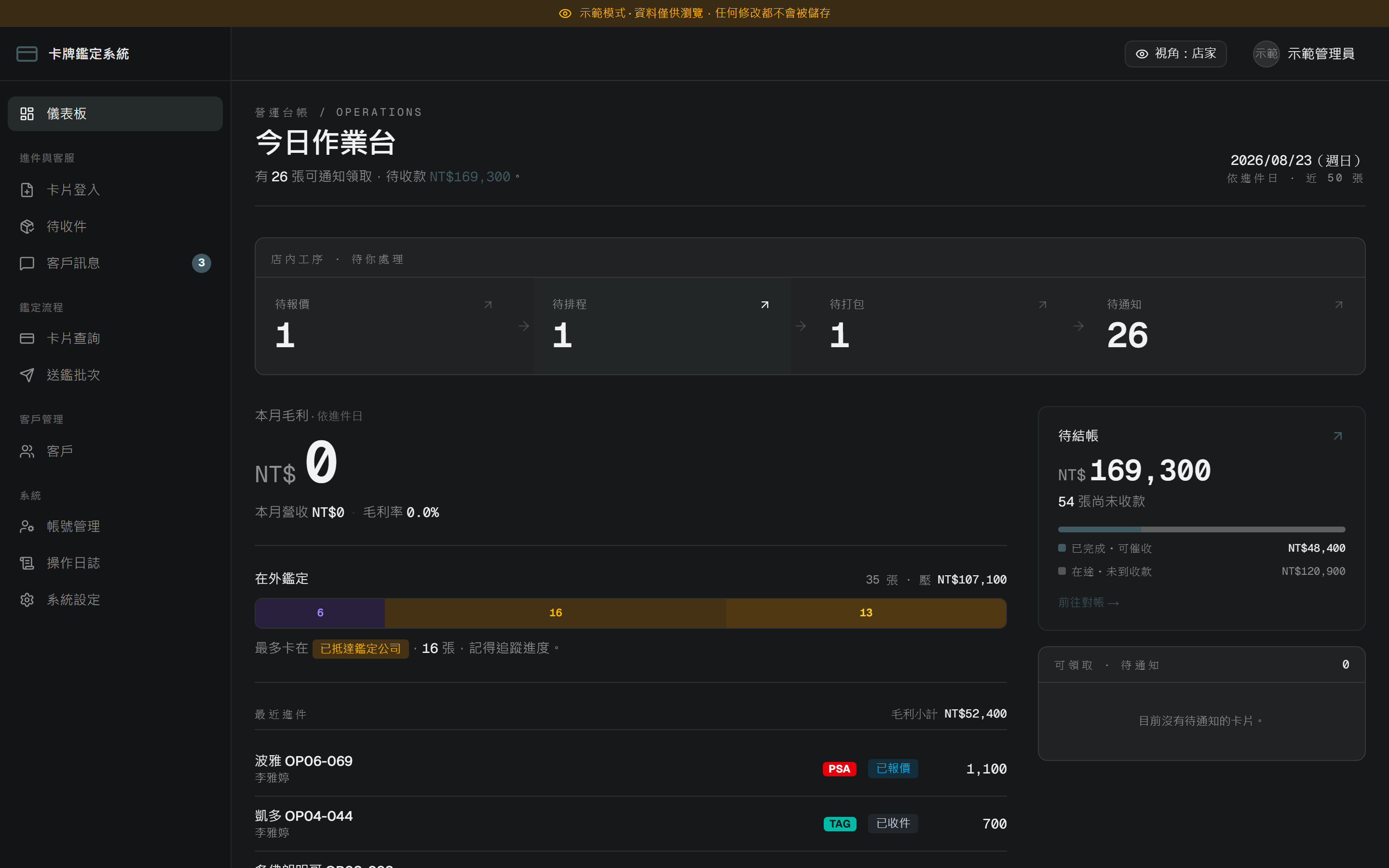
Card Grading Platform
Every card's progress, visible to its ownerTypeWorkflow platform
- The full path from drop-off to return
- One legal entry point for status changes
- One fully isolated instance per shop
Inventory and Dispatch System
One system from goods-in to job closedTypeB2B management system
- Stock tracked down to the serial number
- The whole path from dispatch to closure
- A separate deployment per client
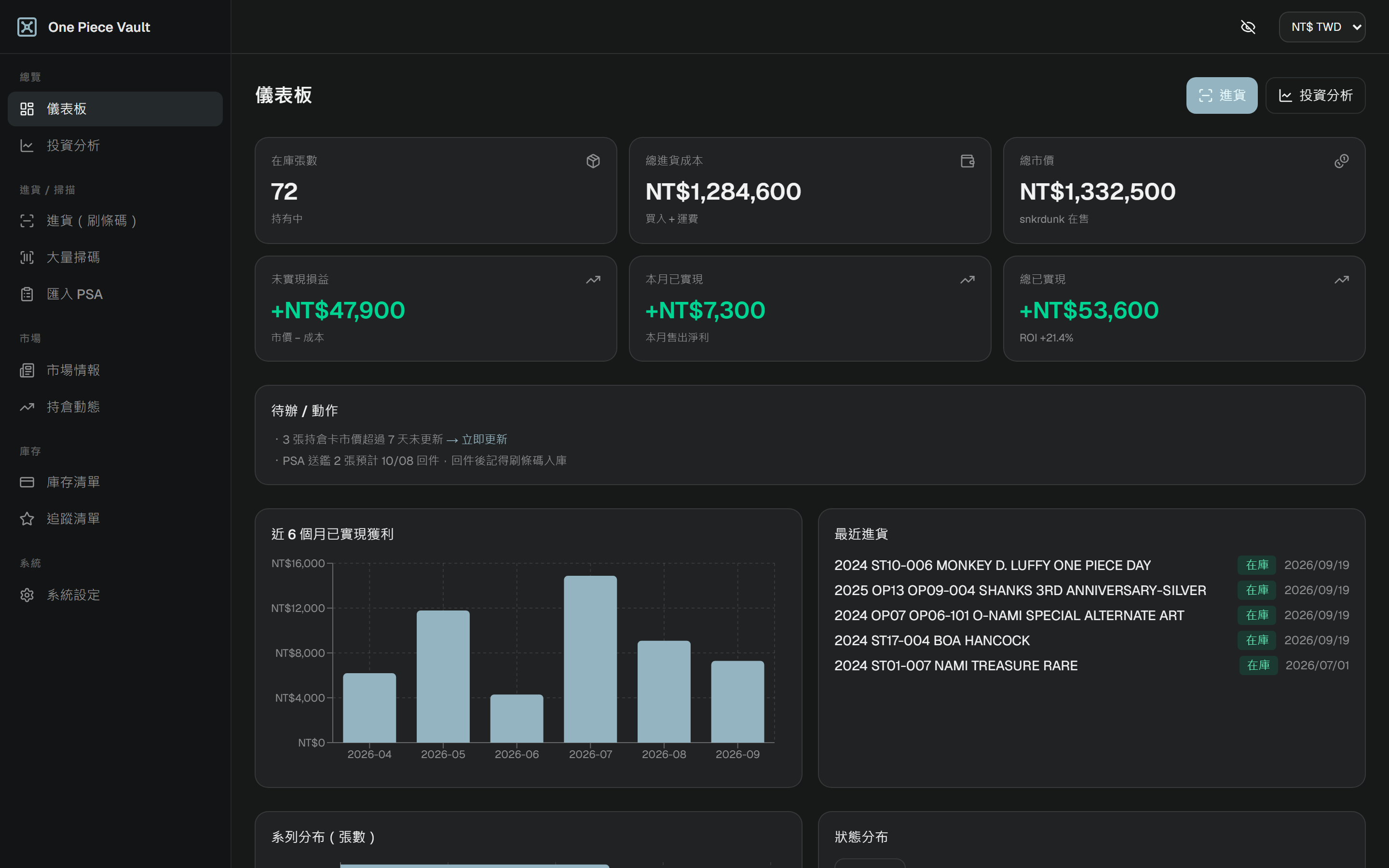
Inventory and P&L System
Inventory and margin, with prices that update themselvesTypeInventory system
- Phone barcode intake, which the whole system depends on
- Market prices collected automatically
- Three independent schedules
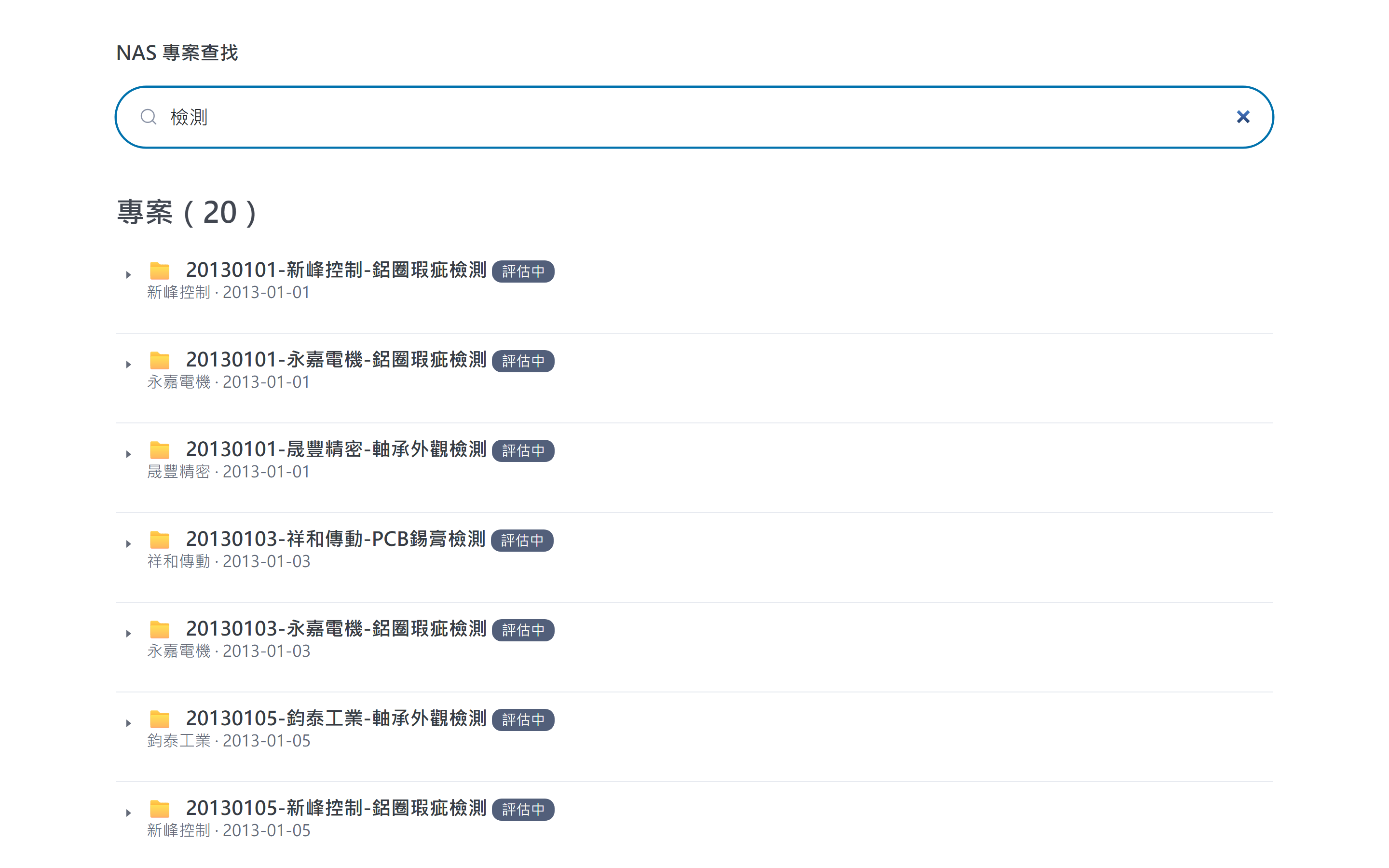
Project Archive Search
An index layer over the files, searchable as you typeTypeInternal file management
- The files never move
- The importer may read but never write
- Feasibility proven before building
LINE Support Bot
An AI agent that answers the common questions and escalates the restTypeSupport automation
- Three behaviours, chosen explicitly
- Every failure returns a safe reply
- One knowledge file per account
Bilingual Discord Mirror
Channel structure mirrored automatically, in both directionsTypeCommunity automation
- An idempotent sync engine
- Different rules for different kinds of channel
- Translation caching
Screens show sample data or public pages, never a client's real operating data.
Not on the list? We can talk about any software need
The services and projects above are only part of what we do. We build custom software around each company's own way of working, so there is no need to match a list first. Tell us the task you want solved and we will work out the approach together.
How we work together
From the first conversation to going live, projects usually move through these five steps. We check with you at each one before moving on.
First conversation
A 30-minute chat about how things run today and where most of the time goes.
Proposal
We set out the requirements, the approach we suggest and the scope of the first stage, and only start building once you agree.
Build and test
We show progress regularly while we build, so you can try it out and ask for changes.
Go live
We help move your data across and show your team how to use it, so the system can take over the daily work.
Support and improve
After launch we keep monitoring and maintaining the system, and can extend it as your needs grow.
Common questions
If your question is not here, just ask us on LINE or by email.
Do I need a written specification first?
No. Tell us how things work today and what causes the most trouble, and we will help put the requirements together and suggest an approach.
How is the cost worked out?
It depends on what you need. Once we have talked through the problem and the scope, we will give you a quote.
Can we start with just one part?
Yes. We recommend rolling out in stages, starting with the process that needs the most help and extending once it is running smoothly.
Who looks after the system after launch?
We can keep supporting it, including monitoring and ongoing changes. If you would rather run it yourselves, we will hand it over in full.
Do we have to use AI?
No. We only use AI at the steps where it clearly saves time, and keep everything else simple and dependable.
Would you like to talk through how things work today?
No specification needed. Tell us which part of your work takes the most time, and we will look at the right approach together.