How to set up an AI assistant for a LINE official account
Plan an AI assistant for a LINE official account: the knowledge file, when AI answers or hands off, the mute window, privacy and cost drivers.
In this article
For many shops and small businesses in Taiwan, a LINE official account is the main customer service channel. Most questions are the same few: shipping costs, delivery times, which size to choose, whether it works in my situation. Messages after hours often go unanswered. An AI assistant can take on the repetitive questions, but to make customers and the business comfortable with it, a few things are worth thinking through first.
This article describes how we designed our LINE AI customer service template. It currently runs the LINE support for our own product, and it can be copied for another business, with only the knowledge content swapped in.
Step one: write a knowledge file
How well the assistant answers depends on what it is given. We put the business's information into one knowledge file, covering:
- product or service descriptions, specifications and when they apply
- how to buy, payment, shipping costs and delivery times
- returns, exchanges and warranty
- opening hours, shop locations and contact details
- which questions always go to a person, such as price negotiation, complaints and special orders
The file holds only real information the business has confirmed. Things only the owner knows, such as whether invoices can be issued to individuals or how remote deliveries are charged, become a short questionnaire for the owner. Until a question is answered, the assistant uses a cautious default and never guesses.
When the AI answers, and when it hands off
We split the assistant's behaviour into three modes:
| Situation | What the AI does | Examples |
|---|---|---|
| The knowledge file has a clear answer | Answers directly | Shipping costs, opening hours, product specs |
| Needs a specialist, but not urgent | Points the customer to the right person; AI keeps running | Bulk purchases, partnership enquiries |
| Needs judgement or the customer is upset | Notifies the business and pauses AI replies to this customer | Complaints, return disputes, price negotiation |
Two details matter. First, greetings and thanks should be answered by the AI itself; otherwise every "hello" is escalated to a person and the workload goes up. Second, the assistant should say at the start that replies are automatic and a person will step in when needed, so customers aren't misled.
After a hand-off: a mute window
The worst thing during a hand-off is the AI chipping in. So when we hand off, we notify the business and pause AI replies to that customer for a while, for example 30 minutes, adjustable to how quickly the business usually replies. Stickers or extra messages from the customer during the pause don't trigger the AI. The owner's own account is never muted, so they can test and reply at any time.
We also recommend switching off or adjusting LINE's built-in auto-response and friend-welcome messages when the assistant goes live, so the same message isn't answered twice.
Failing gracefully
Any system can fail, for example if the AI service is briefly unreachable. Customers should never see a technical error. They get a safe reply such as "We've received your message and a member of our team will reply soon", and the business is notified. If a notification can't be delivered because of quota or network problems, it is stored so the business can still find it later rather than being lost.
Privacy and data protection
- Tell customers the replies come from AI, and explain in the privacy policy that conversations are processed by an AI service.
- Don't ask for national ID numbers, card numbers or other sensitive data in the chat.
- Conversation memory is kept only for a limited time and then deleted automatically.
- System logs don't record message contents or contact details, and LINE and AI service keys are kept in encrypted server settings, never in the code.
What drives the cost
The ongoing costs come from three places:
- AI usage: billed by the number of conversations, reply length and the size of the knowledge file. Longer files and more conversations mean more usage. Per-customer limits and a monthly cap keep costs in check even if someone floods the account.
- LINE plan and message quota: on a LINE official account, replies to customers and proactive push messages are counted differently, and pushes count toward the plan's monthly quota. AI replies to customers are mostly the former; hand-off notifications and proactive reminders depend on push volume. Please check LINE's latest official terms; we estimate it from your expected usage.
- Hosting and upkeep: our template runs on a pay-per-use cloud platform, so everyday hosting costs are low. The real time goes into writing the knowledge file at setup and refining the wording afterwards based on what customers actually ask.
Steps to introduce it
- A conversation to learn what customers ask most, and which questions must go to a person.
- Write the knowledge file and questionnaire for the business to confirm.
- Deploy to your LINE official account and run the common scenarios on a phone: ordinary questions, hand-off, mute, and failure.
- After launch, review conversations regularly and extend the knowledge file.
To see the conversation in action, visit our LINE customer service bot project page, which has a demo you can type into. The product assistant on the CSM Smart Lock website follows the same idea of answering only from the catalogue and never quoting online. For other places AI can help, see AI, put to work.
Questions
Will the AI give wrong answers?
We limit the AI to answering from the knowledge file. Anything it can't find, or that needs judgement, goes to a person, and sensitive topics such as prices and discounts can always be routed to a person.
Will the AI keep talking after a person takes over?
After a hand-off, AI replies to that customer pause for a while so the person can reply properly. The length of the pause can be set to suit the business.
Do we need a paid LINE plan?
Not necessarily. Replies to customers and proactive push messages are counted differently. It depends on how many notifications and pushes you send, and we estimate this for your situation first.
Related services
AI, put to work
AI customer support, meeting summaries, product listing and product photo processing, placed where they save time, with a person reviewing the result.
Integration and long-term support
Staged rollouts, data connections between systems, and monitoring, backups and handover after launch.
Related work
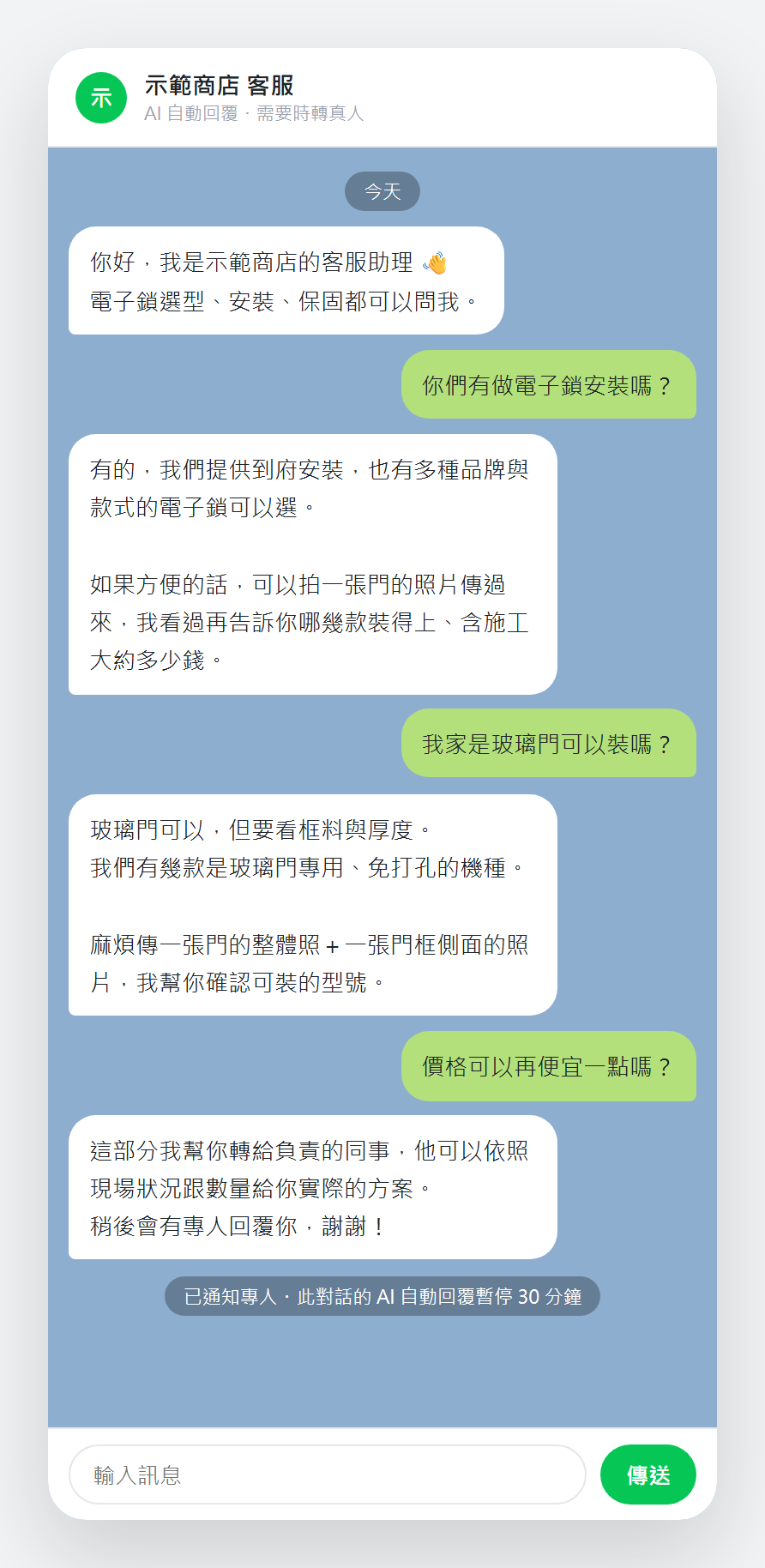
LINE Support Bot
An AI agent that answers the common questions and escalates the rest
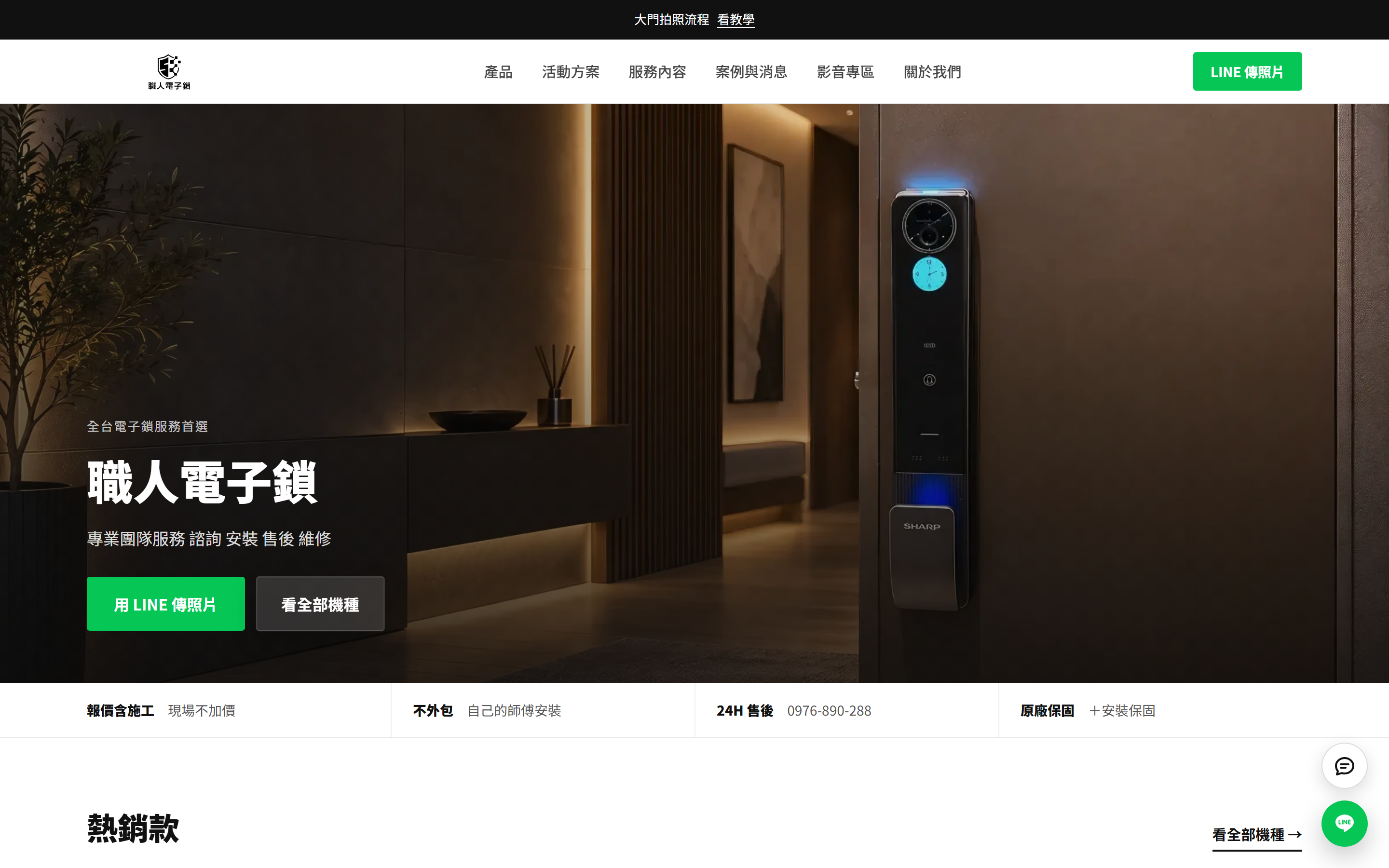
CSM Smart Lock Website + Admin
A website with an admin the shop runs itself, plus AI-assisted listing
Would you like to talk through your situation?
No specification needed. Tell us which part of your work takes the most time, and we will look at the right approach together.